

Yesterday, Wahoo released updated KICKR CORE 2 firmware (version 2.5.4 / 3.5.4) to enable the trainer to bridge Zwift Click v2 or Zwift Ride handlebars.
What is “bridging,” how does it work, and why does it matter? I’m so glad you asked! Let’s dive in…
Bluetooth Bridging
“Bridging” refers to a device’s ability to act as a hub or “go between,” connecting one or more Bluetooth devices to another. Why is bridging useful? Mostly because Apple TV limits you to connecting to only two Bluetooth devices (for example, your trainer and HRM). This isn’t a big deal when all you’ve got is a trainer and heart rate, but with more and more riders using Zwift controllers (often for the benefits of virtual shifting), people are finding themselves hitting this connection limit:
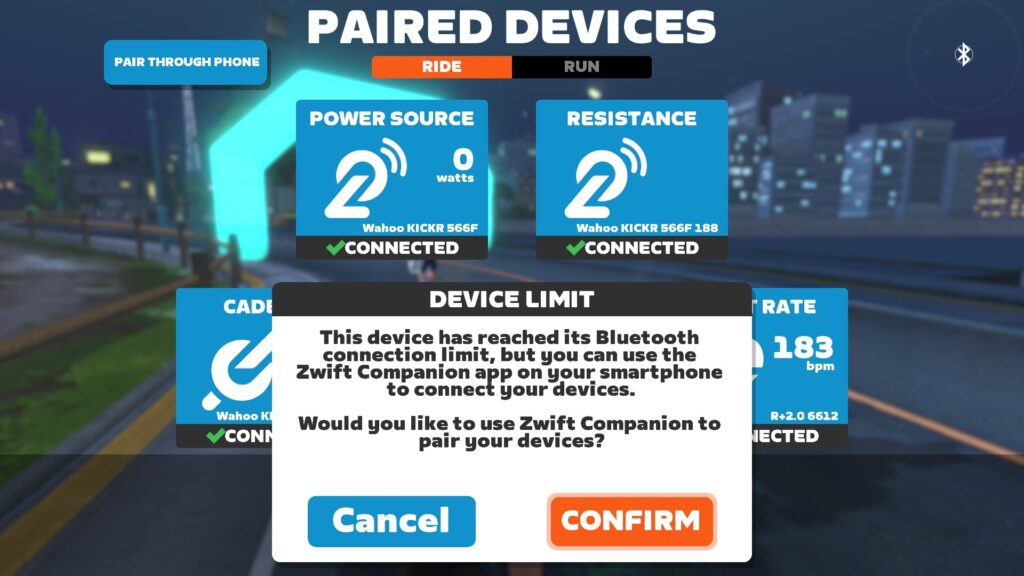
Bridging consolidates multiple Bluetooth connections into one. Only your KICKR CORE 2 needs to be connected to your Zwifting computer (in this case, Apple TV), but it will send along the datastream of the additional devices it is bridging.
Note: another way around the Bluetooth connection limit is to use a trainer that can connect via WiFi or Direct Connect… read this post for details.
When the KICKR CORE 2 was released in September 2025, it already had what Wahoo calls the “KICKR Bridge” feature, but this only worked to bridge heart rate monitors.
Yesterday’s update added bridging support for Zwift Click v2 and the controllers on the Zwift Ride handlebars. This means you can connect your trainer, HRM, and controllers, using just one Bluetooth connection. (Or, I suppose, if your KICKR CORE 2 is connected via WiFi, you’d be using no Bluetooth connections at all!)
This should simplify connection and startup for Apple TV users, who are a huge segment of the Zwift population. Why? Because Apple TV is a simple and affordable device for Zwifting!
Test Results
I’ve been using the new firmware for a couple of weeks here in the Zwift Insider Lab, and it’s been working well! I’ve mostly used it with the Click v2 controllers, and here’s what you see on the pairing screen when you first click the “Controls” box to pair:
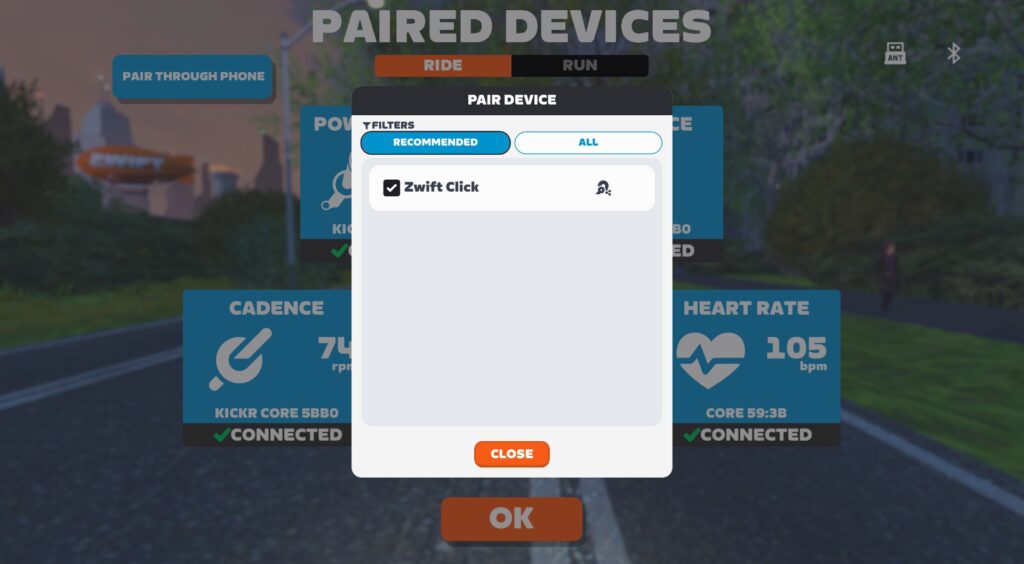
Unlike bridging for other apps, this bridging is done automatically when you’re using Zwift. According to Wahoo’s support docs, “The Zwift game ignores the heart rate monitor stored in the trainer/BIKE’s firmware, but once a CORE 2 or BIKE PRO on current firmware is selected in the Zwift pairing screen, Zwift will have the trainer search and bridge any available compatible heart rate monitors and/or Zwift controllers.”
I’ve even tried some “officially unsupported” connection schemes, like pairing the classic Zwift Play controllers via Bluetooth, while the Click v2 is connected via bridging. Notice the bridged device has a little trainer icon next to it, while the direct Bluetooth connections use a Bluetooth icon (and a green icon signifying the use of Zwift protocol):
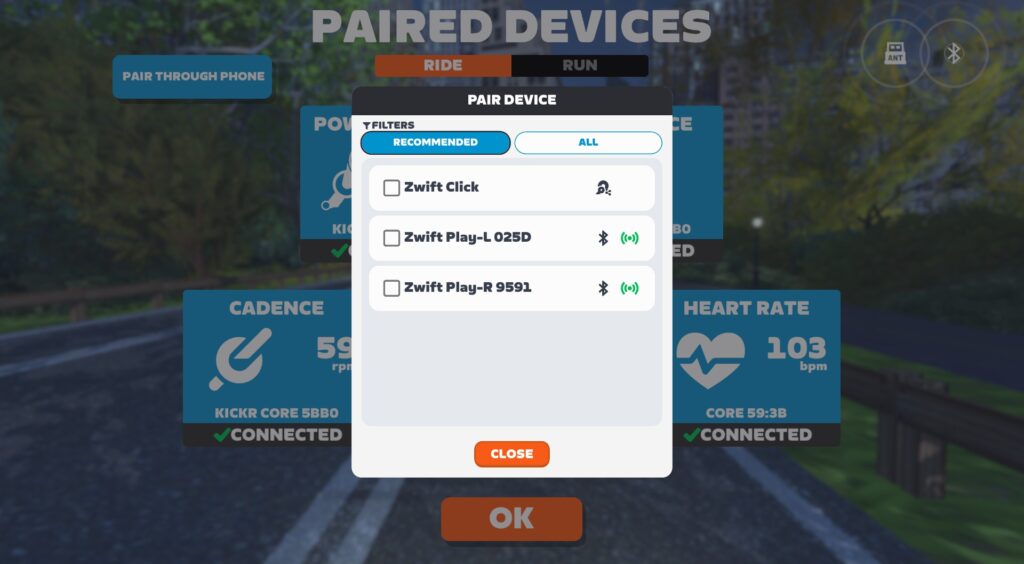
This scheme works well, though I’ve occasionally seen the Play controllers respond slowly, while the Zwift Click v2 remains very responsive. Not sure what that’s about.
Overall, the updated KICKR Bridge works well on Apple TV, PC, or any other device that can run Zwift.
Upgrading Your Play + KICKR CORE 2 Firmware
To start connecting to your Click v2 or Ride controllers through the KICKR CORE 2 bridge, you’ll want to make sure your controllers’ firmware is up to date, and also update your trainer’s firmware.
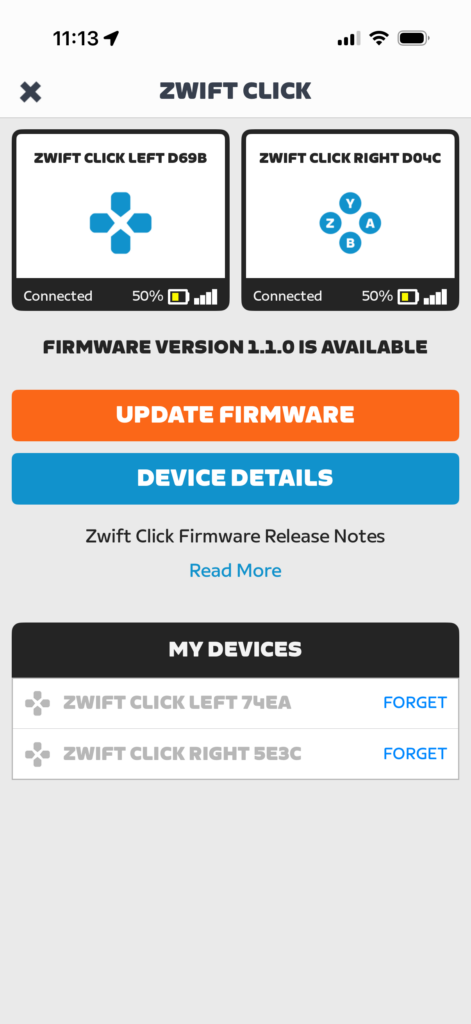
Update your controllers via the Zwift Companion app. Click More>Equipment>Your Controllers to update. Here’s what I saw when I connected to my Click v2:
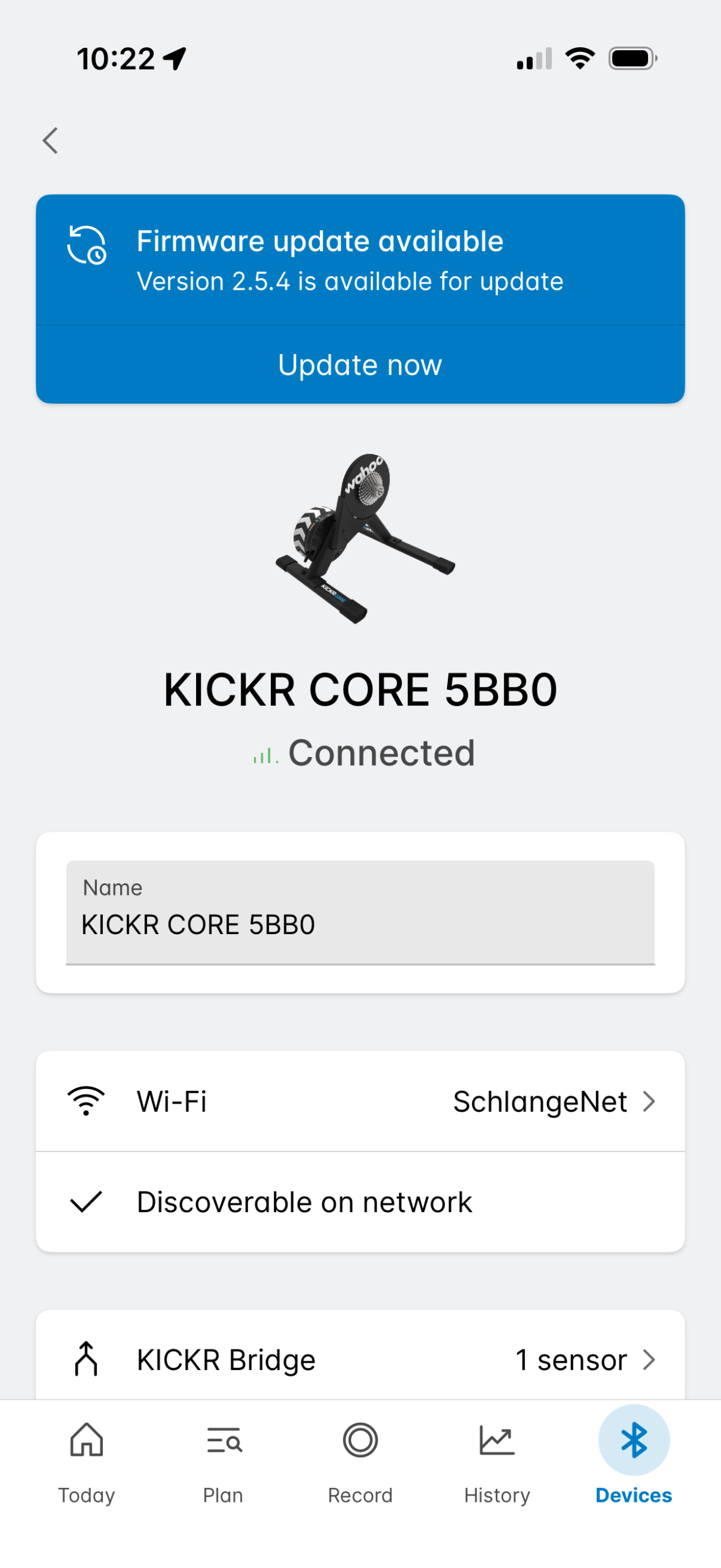
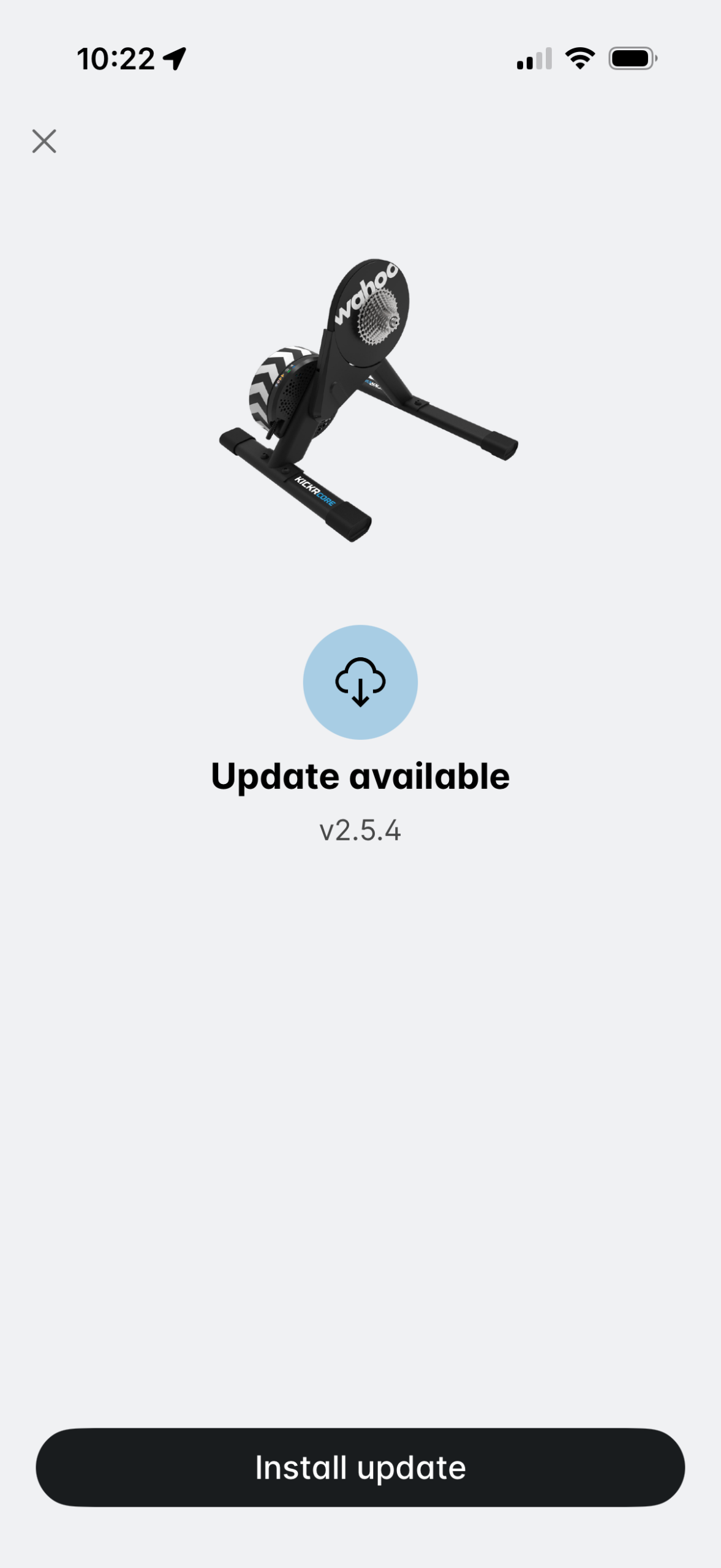
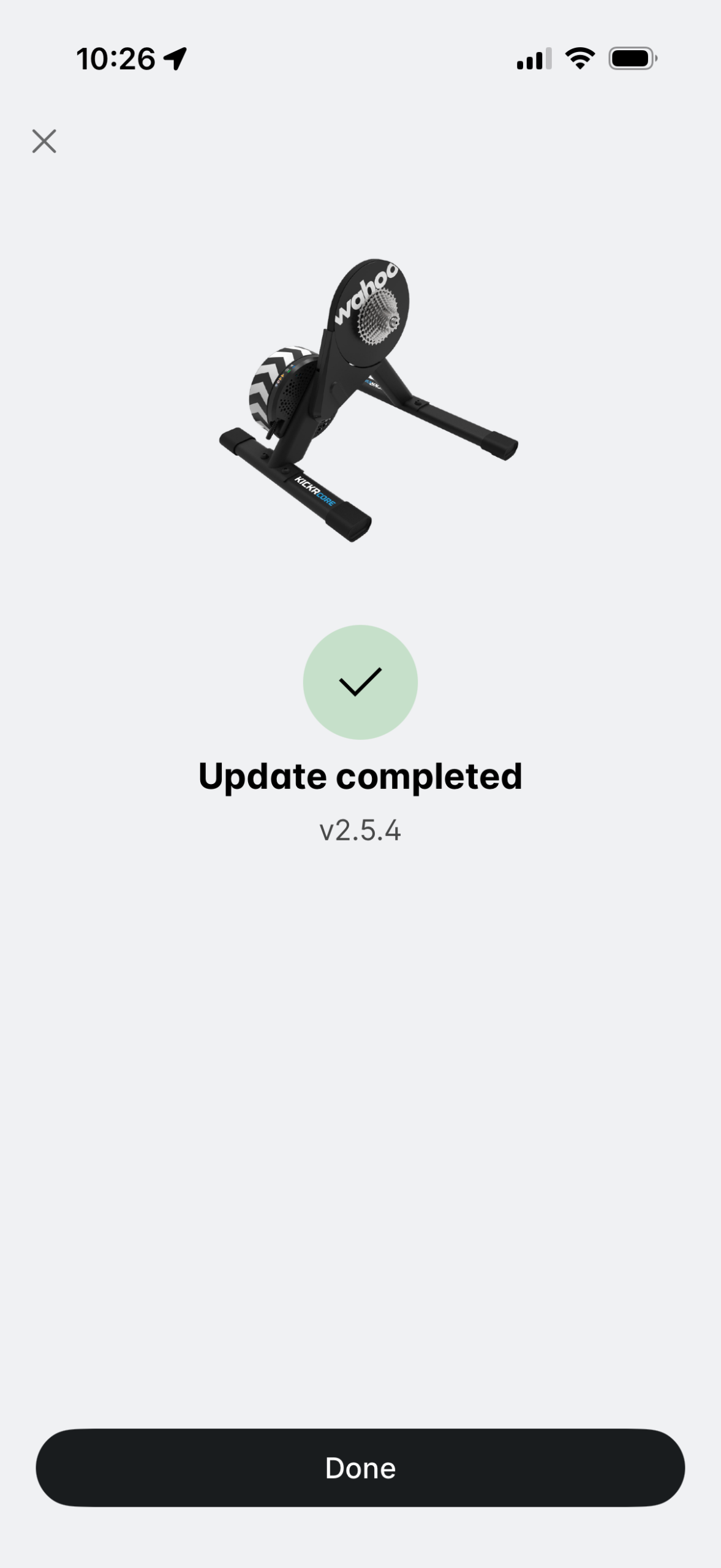
Update your KICKR CORE 2’s firmware via the Wahoo app.
Questions or Comments?
Learn more about the KICKR Bridge on Wahoo’s support site, and read about this latest firmware update, too. Got other questions or comments? Share below!


Why is ant+ not being used in these controllers?
There’s no ANT+ device profile for these peripherals. Garmin (who own ANT) have announced there’ll be no further device profiles added to ANT+ as of mid 2025. It’s on the way out.
Any chance that the Kickr V5 will get an offial update to the Zwift Cog?
Not really willing to buy a new trainier for that
I wouldn’t bet on it.
How about on the V6? I’m surprised (and a little disappointed) they haven’t announced any sort of bridging capability.
About 18 months ago Wahoo announced the Kickr v5 would never receive that update after initially stating it would get it. That’s when wahoo lost me as a customer.
I sold my v5 and got a jet-black victory and zwift ride frame. I couldn’t be happier with my choice.
Does this mean that Mywhoosh is now compatible with the click controllers?
No.
I was hoping for that as well and tried several different platforms.
But unfortunately the V2 controllers that come with the Zwift Ride are still blocking any function.Even bridged Zwift controllers are found and connected – but I can’t use any button.
so the original zwift controllers dont work with the bridge? Sad. I love the original zwift controllers. Oh well.
My kickr core 2 always fails to update… I’ve been resetring everything (trainer, bluetooth connection, wifi connection).. still no Success.
For some reason even with the latest Click and Core 2 firmware applied they are not connecting to the trainer but instead prefer the BT dongle in my PC ?
I have brand new CORE 2 + Click v2 and attempting to bridge via wifi to Zwift running on PC.
In my experience the bridging software is still very flaky.
1. It seems necessary to power-cycle the CORE 2 after the Zwift equipment pairing screen is displayed for wifi connected trainer to be presented as a selectable option.
2. If I don’t do this and connect to the trainer via BT or ANT – then the Click v2 controllers can’t be selected – presumably because the trainer has already established a connection to them.
3. Attempting to logout from Zwift and switch to another user presents all kind of problems with Click v2 connections – I have yet to find a reliable process for doing this. I eventually managed after re-pairing the Click controller via the second users companion app. But don’t know if this eventually worked through luck or some kind of timeout somewhere.
4. The Click v2 controllers suck battery power while all this is going on.
Interested in other experiences?
This setup has the potential to be really good – but would advise folks to avoid until Wahoo/Zwift get the software more reliable.
Further information – after much trial and error I discovered that the computer running Zwift MUST be running BLE (Bluetooth v4) despite the fact that the computer connects to CORE 2 over wifi. It seems that Zwift discovers devices (click v2, HR monitor) via BT and then somehow ‘hands over’ the connection to the KICKR bridge. Zwift also seems to use BLE to wake up the CORE 2 if it was powered on before Zwift started. If your computer doesn’t have the correct version of BT you can actually force the click v2 to connect via the Companion app (using a phone with BLE) – but this is a bit hit and miss and needs to be done on every start up. If you are using an old PC to run Zwift with a Bluetooth dongle you may well hit this problem.
That’s not my experience. The connection is definitely not straightforward and kinda flacky.. but BLE isn’t required. I use my gaming PC which has no BT whatsoever (no wifi either, just plain ethernet) and it works (when it works!)
For some reason my HR source (Garmin Instinct 2X solar) always works but sometimes the click controllers aren’t working and I need to connect to the companion app then disconnect the companion app and reconnect them.
I would send a screenshot but it’s not letting me… in the top right corner – Ant and BT have error icons since this computer doesn’t have the required devices.
Attachement
Since the new Zwift update, it takes forever to re-engage ERG mode during a workout, after it has disengaged when you stop riding for a second. my wahoo KICKR has the latest software update. My wife has the same trainer, same issues.