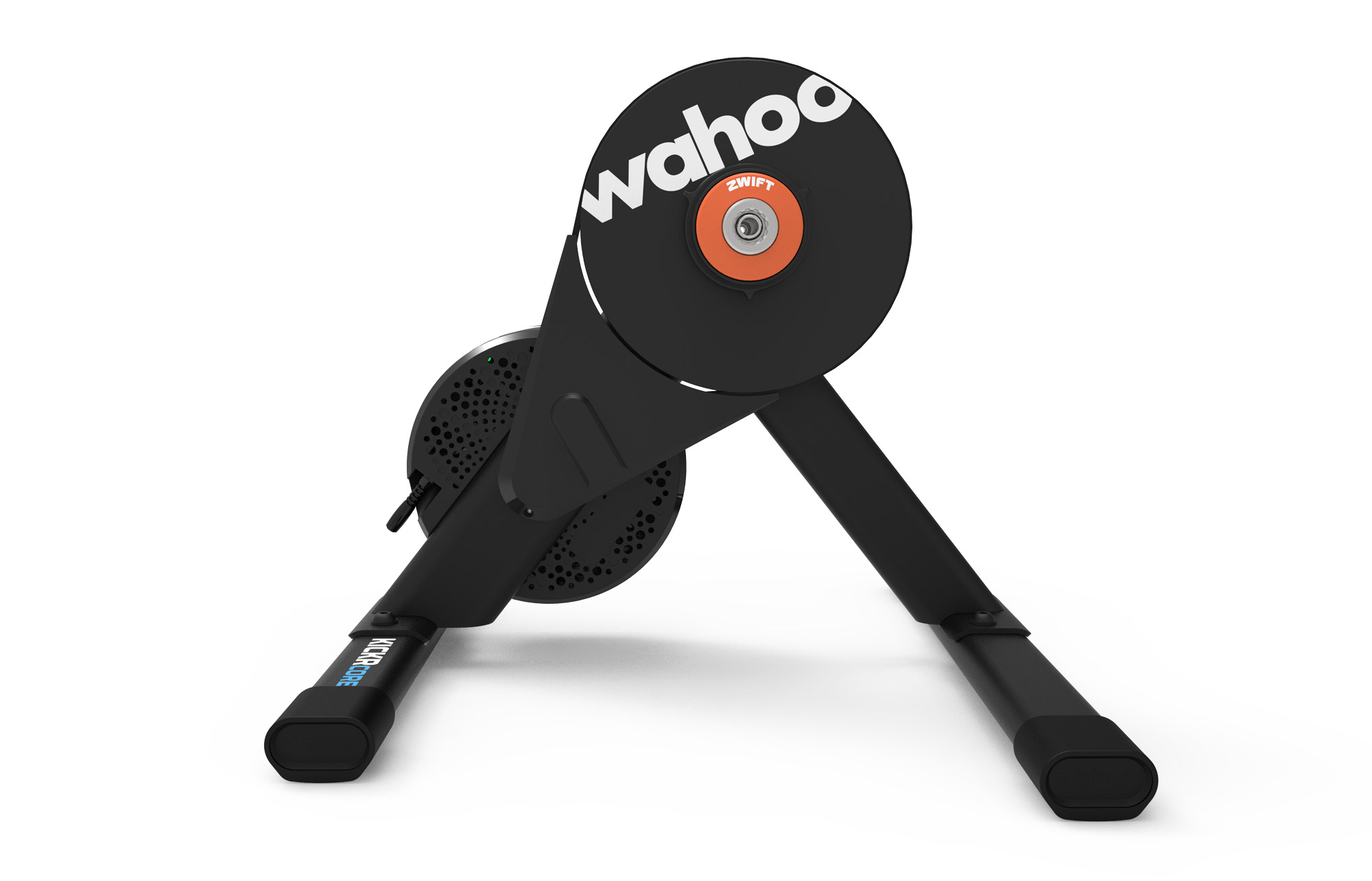
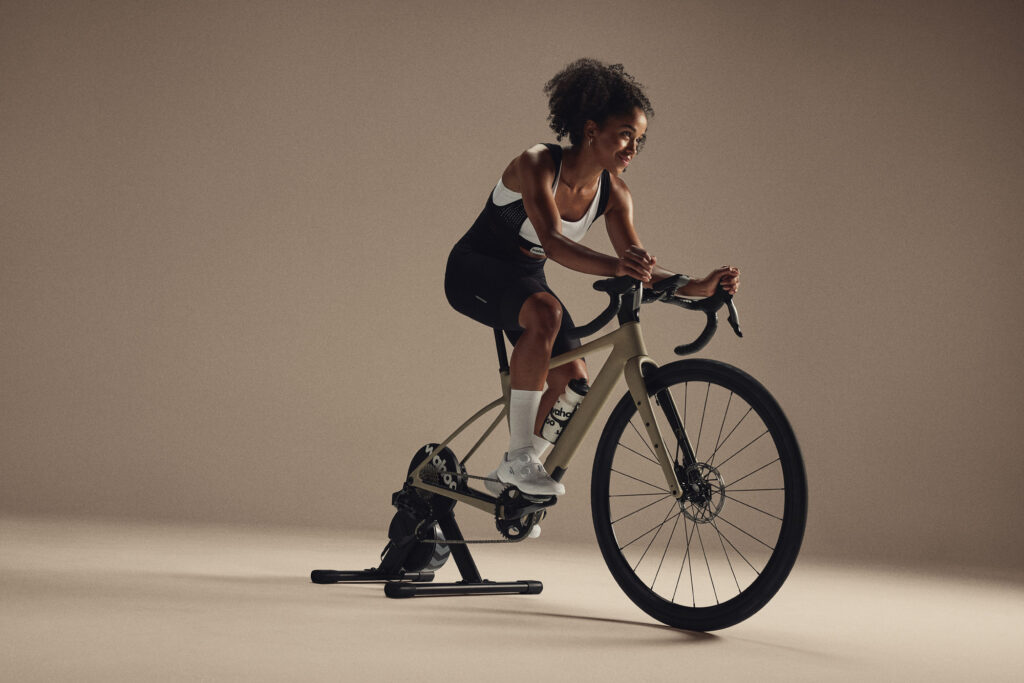
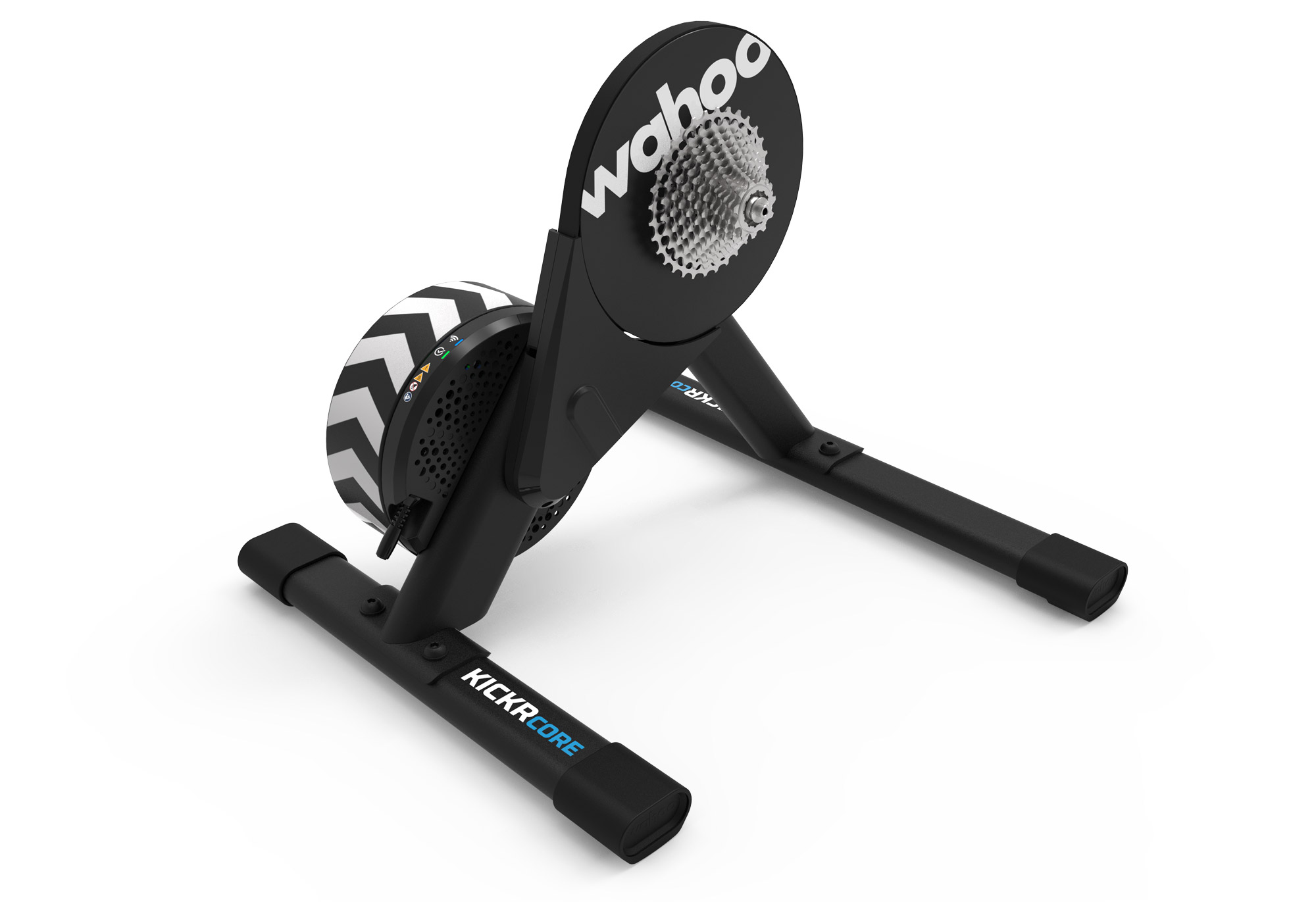
Today, Wahoo released new versions of their KICKR CORE and KICKR BIKE. And while the BIKE is essentially an iterative upgrade from the previous generation, the new KICKR CORE 2 features some significant enhancements, making the already compelling trainer muchmore attractive.
We’re still putting the KICKR CORE 2 through its paces here in our test lab, so watch for a review in the next week. For now, let’s look at what’s new with Wahoo’s flagship mid-budget trainer and top-tier smart bike.
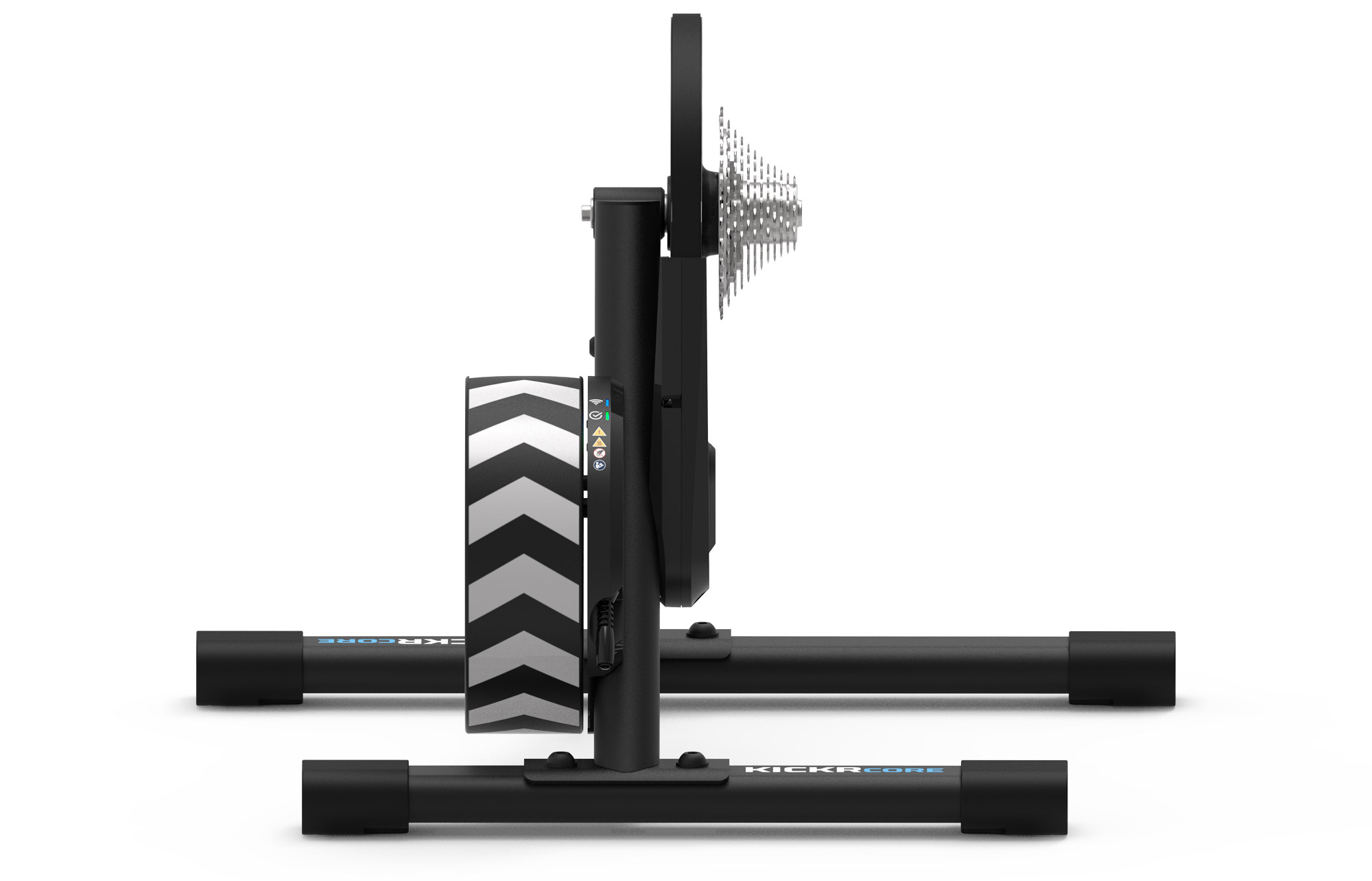
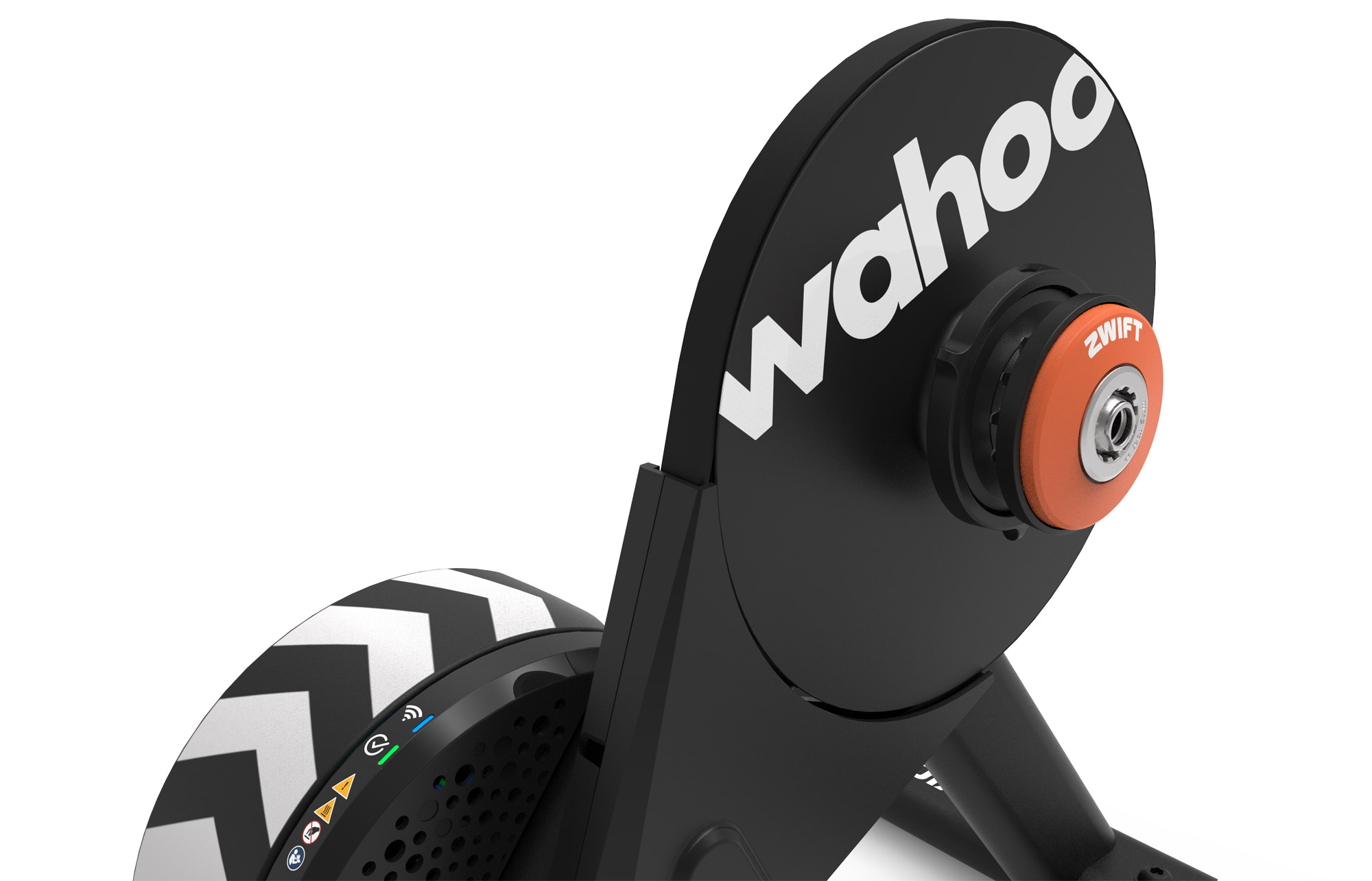
The New Wahoo KICKR CORE 2
The original Wahoo KICKR CORE’s longevity and reliability have proved nothing short of startling, especially considering its price point. First released in 2018, the KICKR CORE is the “little brother” to Wahoo’s flagship KICKR trainer, and its hardware has remained unchanged since release.
It did, however, receive significant firmware updates to enable auto-calibration and Zwift virtual shifting, allowing it to become the de facto trainer paired with the Zwift Ride smart frame.
But competition in this price range is strong. Today’s release of the KICKR CORE 2 brings premium features to Wahoo’s mid-budget workhorse, updating it to the standards set by the latest smart trainers.
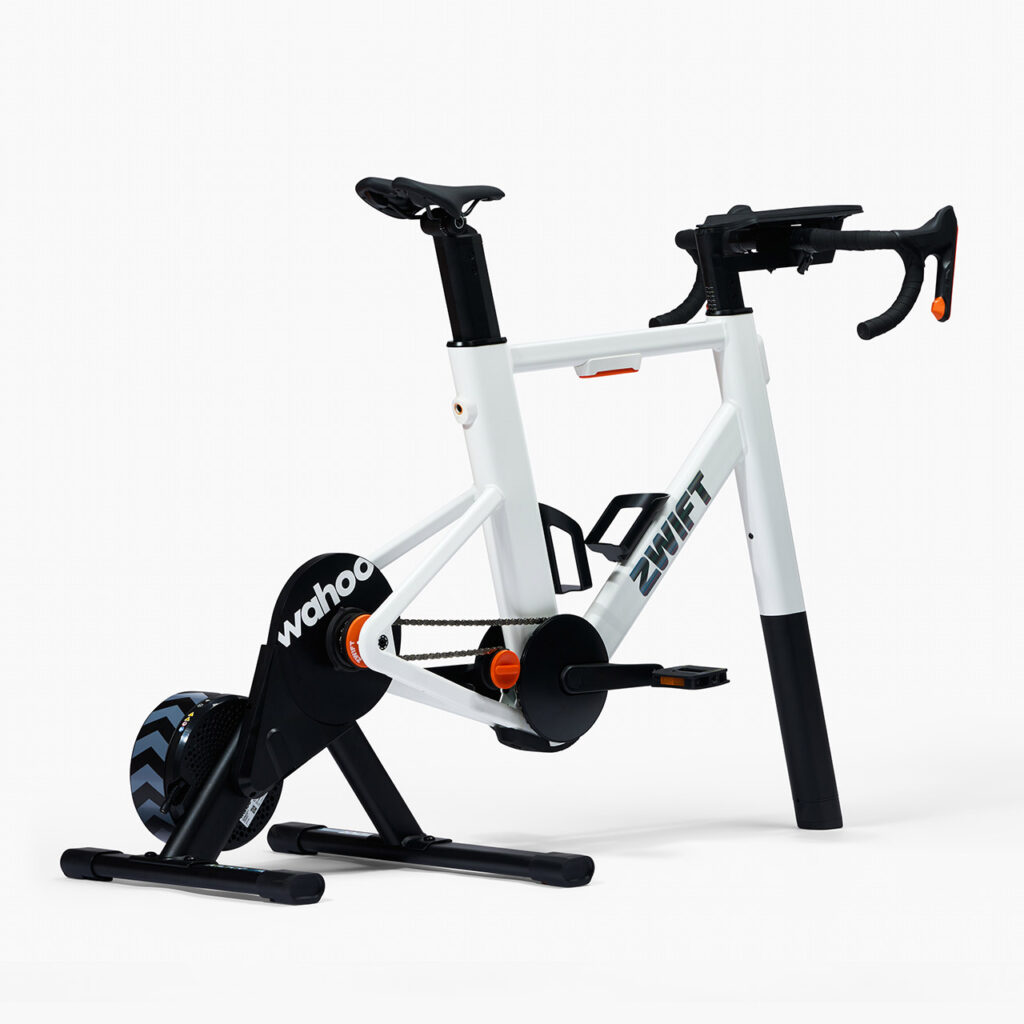
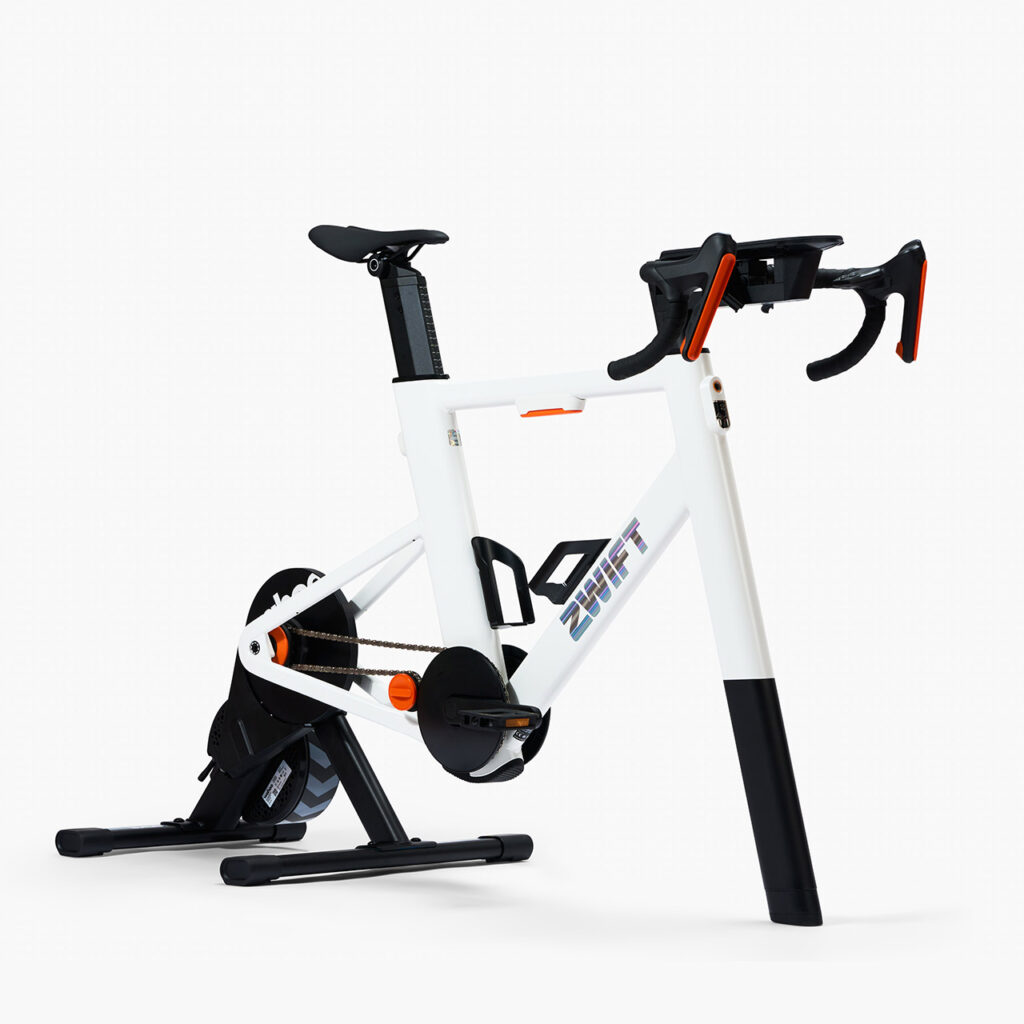
This is particularly big news in the world of Zwift. The KICKR CORE 2 is the trainer that ships with the Zwift Ride from today onward, making today’s upgrade from Wahoo an upgrade for all future Zwift Ride buyers!
What’s New?
New or upgraded features on the KICKR CORE 2 include:
WiFi connectivity for fast, reliable connections and automatic firmware updates
Race mode for near instantaneous response
Bluetooth bridging of heart rate and other sensors to consolidate connections (great for Apple TV users)
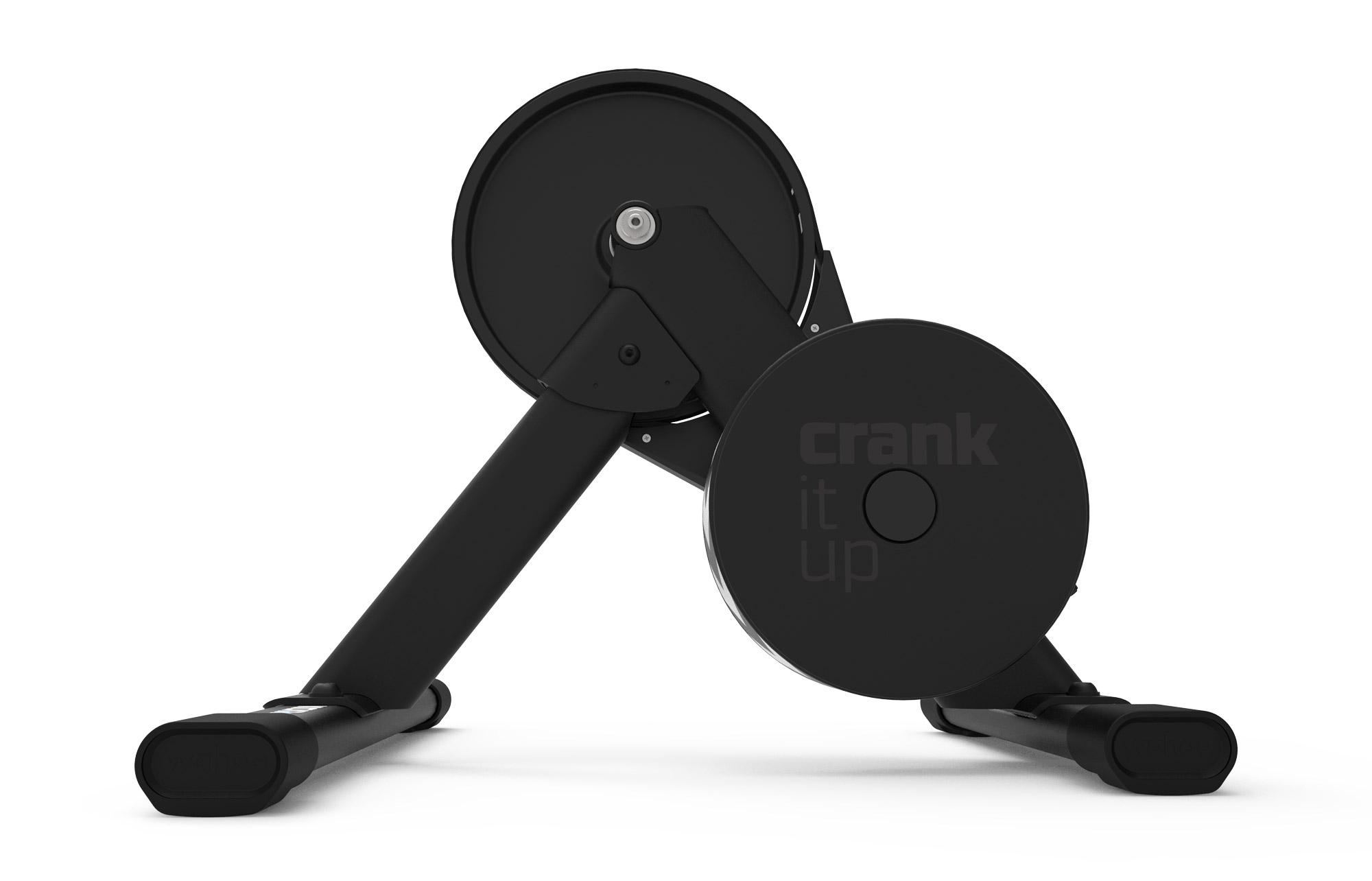
New flat leg design for easier, more stable setups
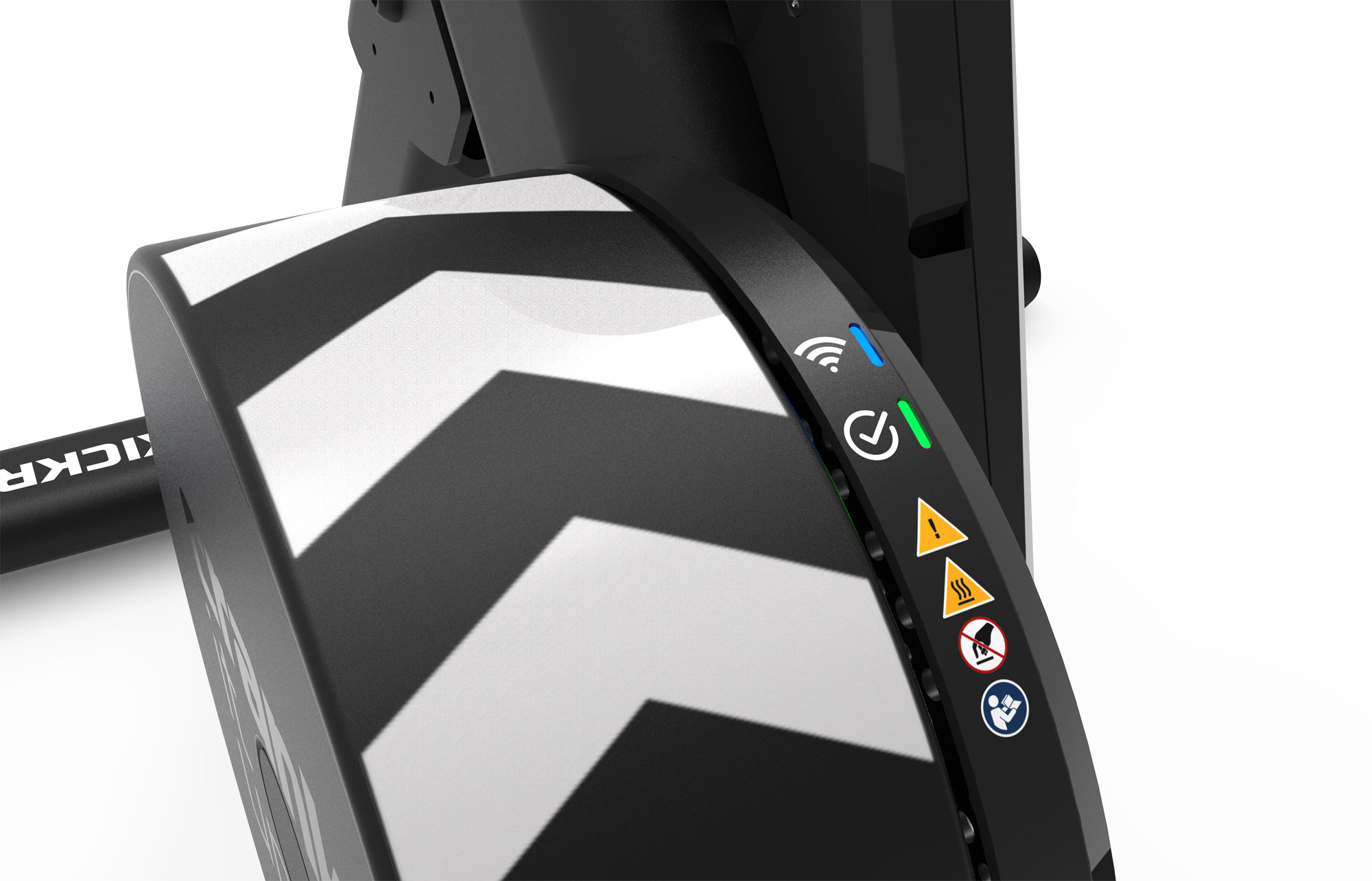
Improved multicolored LEDs indicate connection and trainer status
Redesigned flywheel lowers product weight while slightly increasing inertial load for better road feel
Reduced setup friction and waste: easier unpacking and assembly
Key Specs
Max Wattage: 1800W
Max Incline: 16%
Max Decline: -10%
Power Accuracy: +/-2%
Connectivity: WiFi, ANT+ FEC, ANT+ Power, Bluetooth FTMS, and Zwift Protocol
Cassette: sold with 11-speed cassette or Zwift Cog
Supported Hubs: 130/135mm QR, 12×142, and 12×148 Thru Axle
Buy the Zwift Ride + New KICKR CORE 2 (Price Drop!)
The KICKR CORE is the only trainer sold as a bundled product with the Zwift Ride smart frame, so today’s upgrade to the CORE 2 means the Zwift Ride bundle gets upgraded as well! Effective today, all Zwift Ride packages sold through Zwift and Wahoo will ship with the new KICKR CORE 2, giving you a top-notch feature set at an unbeatable price.
More good news: the updated Zwift Ride now costs less! Starting today, the complete setup price drops by £100 and €100 in the UK and EU, bringing the cost down to £1099.99 and €1199,99 respectively. In the US (where tariffs are making pricing an adventure), the cost of shipping has been reduced from $110 to $75.
Looking to purchase the full package of a Zwift Ride smart frame with Wahoo’s brand-new KICKR CORE 2? Click below to purchase through Zwift (your purchase through this link helps support Zwift Insider):
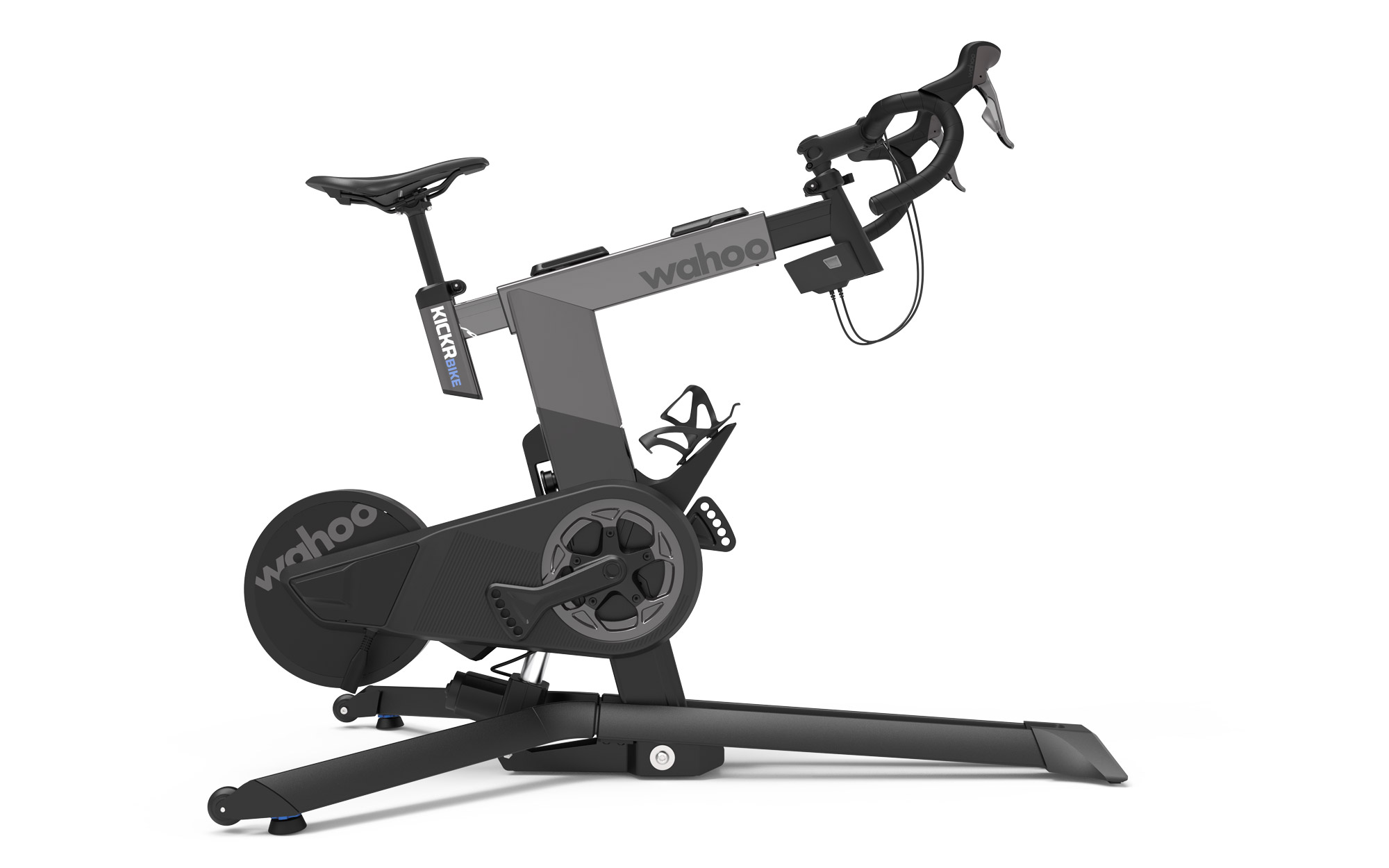
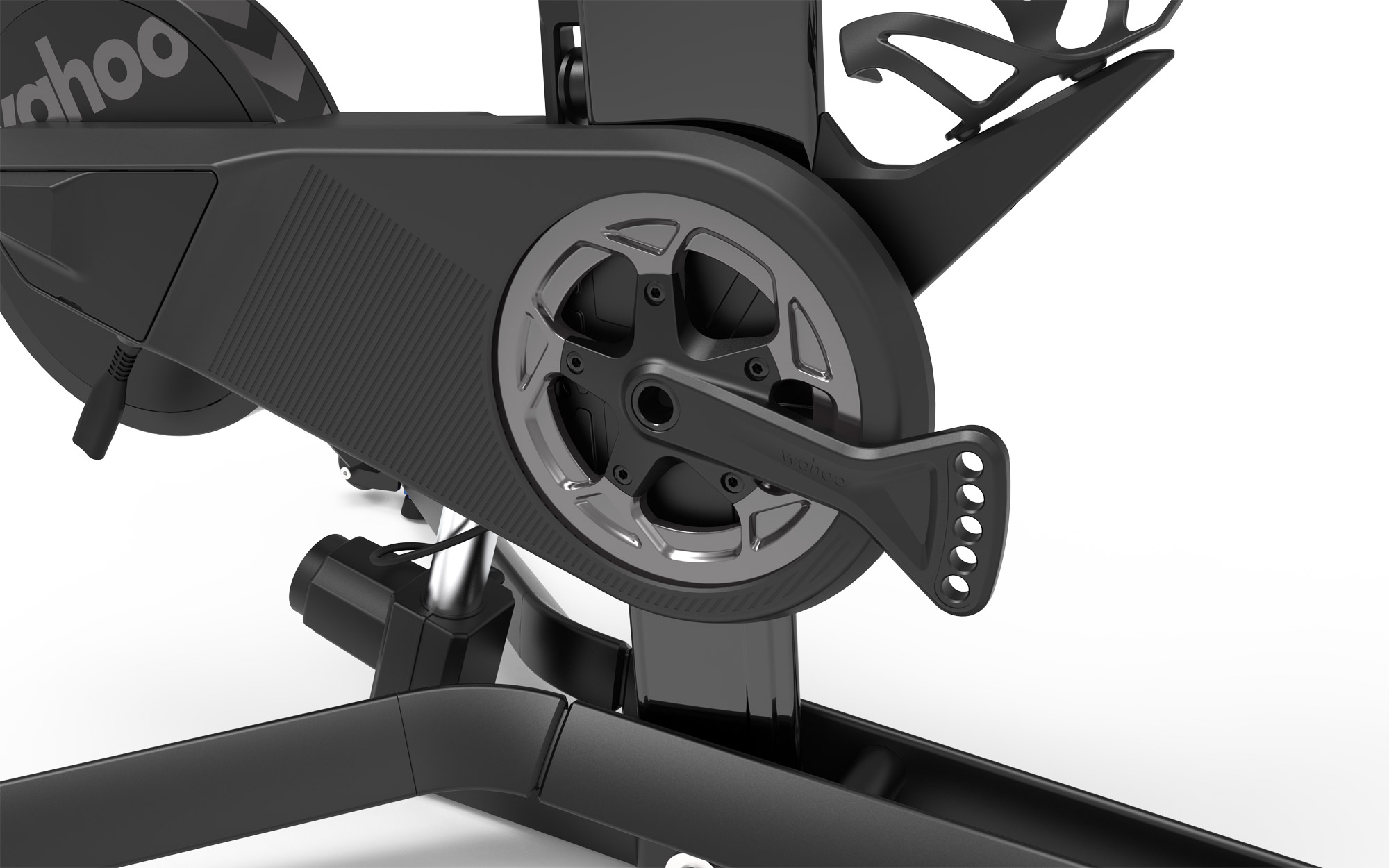
Wahoo unveiled the first edition of their KICKR BIKE at Eurobike 2019, and it certainly turned heads with its distinctive look and built-in KICKR CLIMB tilting. Then in 2022, they released the updated KICKR BIKE, making various iterative improvements while also adding WiFi connectivity and a redesigned motor for higher max wattage and quieter operation.
One year later, the KICKR BIKE SHIFT was announced, sporting a similar design and base feature set as the KICKR BIKE but at a lower price point.
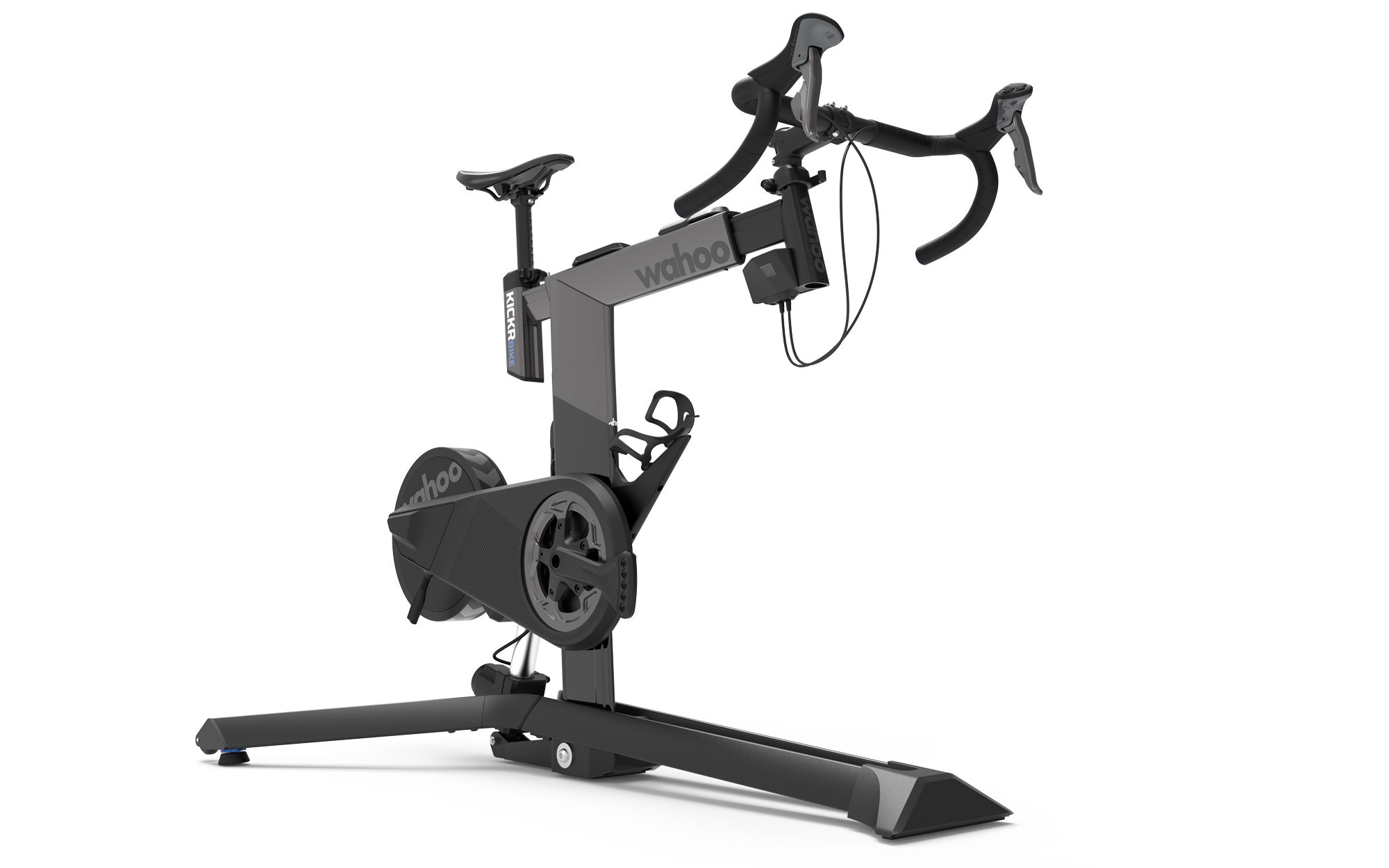
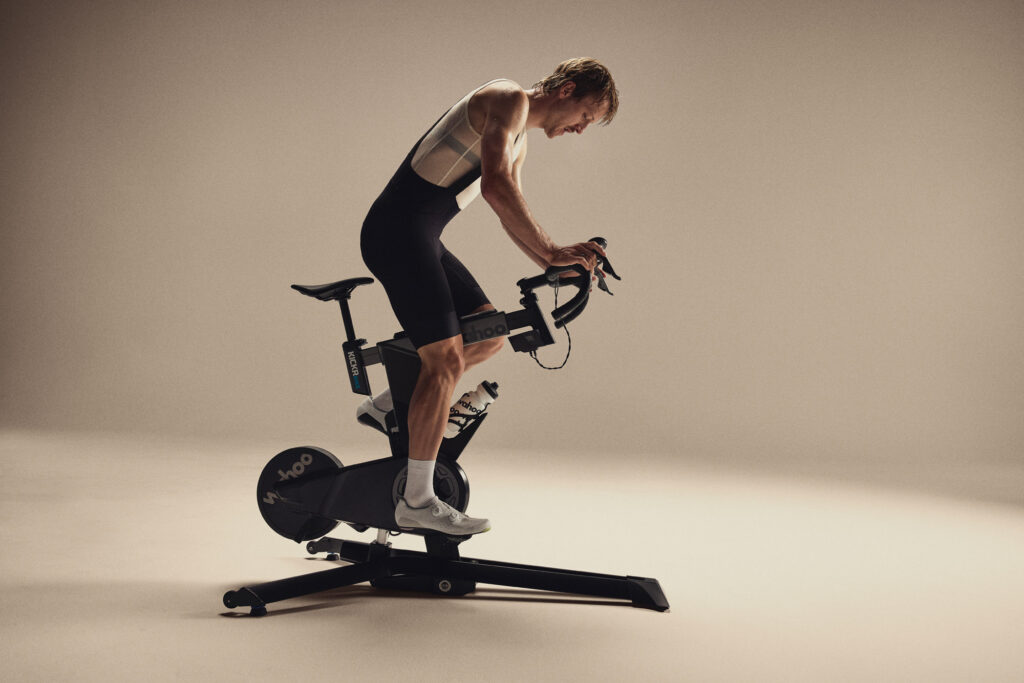
Today, Wahoo released the next version of KICKR BIKE, named the KICKR BIKE PRO. This replaces the KICKR BIKE Gen 2, and while mostly what you’ll see here are iterative upgrades from the Gen 2 version, that’s what you would expect in the third generation of the industry’s leading smart bike.
What’s New?
New or upgraded features on the KICKR BIKE PRO include:
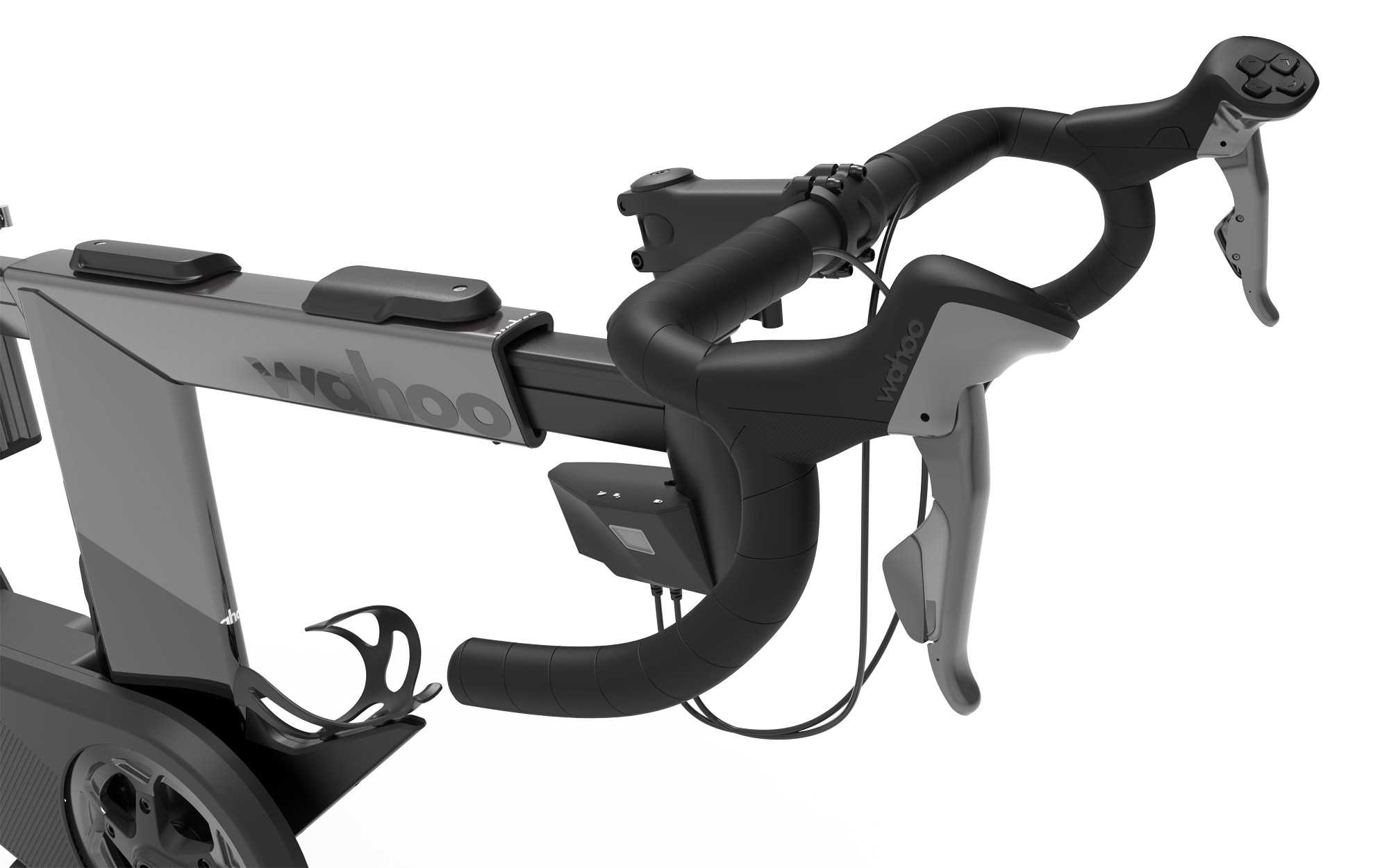
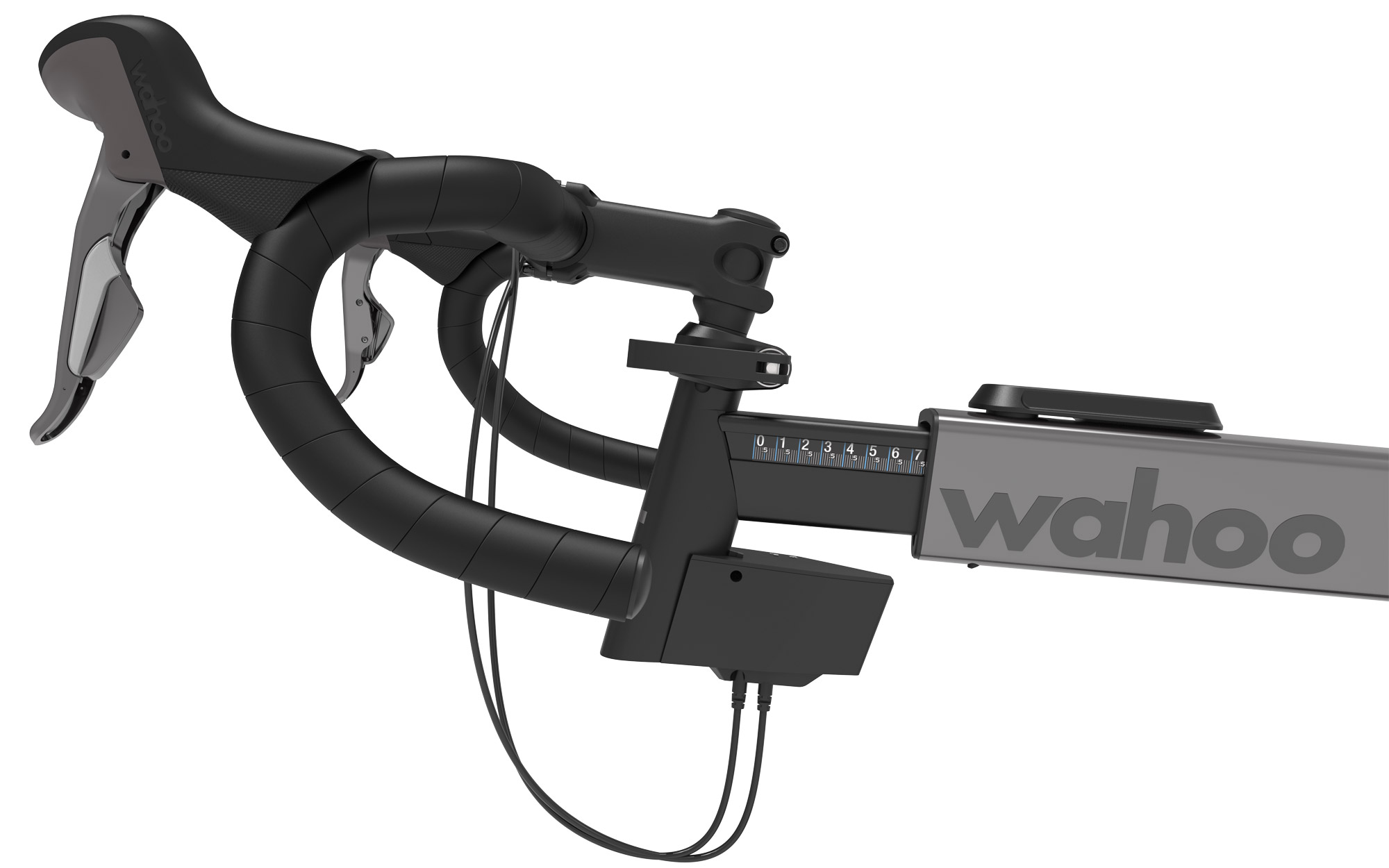
Handlebars redesigned for increased indoor comfort (now 40cm wide with 16-degree flare and Fi’zi:k Solocush bar tape)
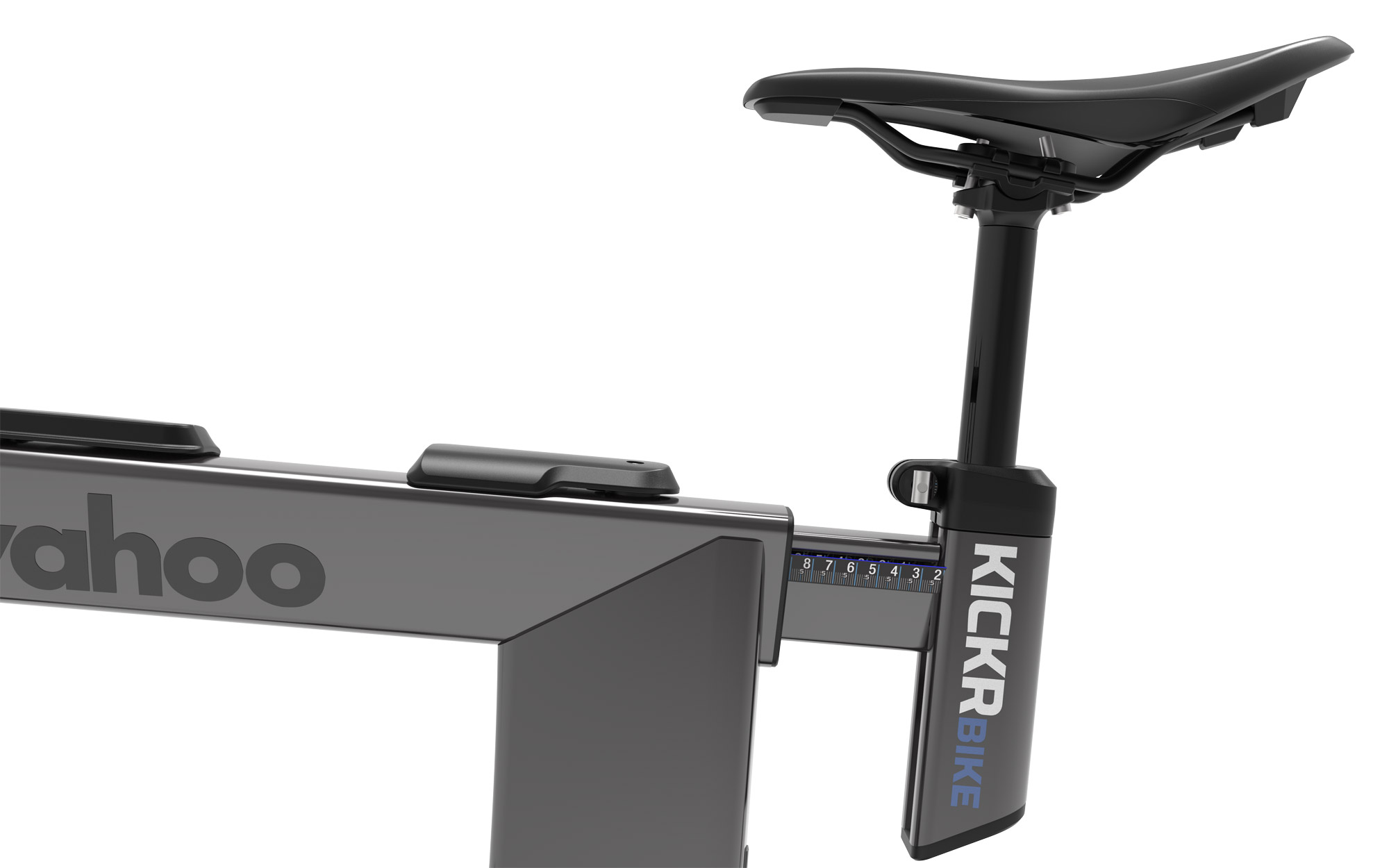
Upgraded saddle (Fi’zi:k Aliante R5)
4-button controllers on top of each hood, mimicking Zwift Play controller capabilities (these also work for navigating other indoor apps, including Wahoo SYSTM, Rouvy, TrainingPeaks Virtual, and MyWhoosh)
Bluetooth bridging of heart rate and other sensors to consolidate connections (great for Apple TV users)
Increased durability thanks to more robust shifter cables and oversized quick-release levers
Key Specs
Max Wattage: 2500W
Max Simulated Incline: 20%
Max Simulated Decline: -15%
Power Accuracy: +/-1%
Connectivity: WiFi, ANT+ FEC, Bluetooth, Direct Connect
Eric runs Zwift Insider in the spare time he finds between riding his bike and managing various business interests. He lives in Northern California with his beautiful wife Monica. Follow on Strava
Would either of these work with the kickr app to
manually adjust resistance Eric? My wife enjoys a spin class using a les mills webpage and she adjusts the resistance on my kickr v5 manually via the app.
Yes, you can connect to any Wahoo smart trainer/smart bike via the Wahoo app and execute structured workouts or just do a ride where you manually adjust the resistance. (Basically, if she can do it with the KICKR v5, she can do it with either of these.)
Ikcelaks
1 year ago
Nice updates for the Kickr Core 2. It now has feature parity with the JetBlack Victory (which I own and love), so it should be a great option for people who want WiFi and/or sensor bridging but are worried about the availability or reliability of the Victory.
greg
1 year ago
Yes, please!
Greg Rajkovic
1 year ago
Today, –Zwift– Wahoo* released the next version of KICKR BIKE.
I love mine. This looks like a solid iterative upgrade, although not as much as V1 to V2 BIKE was. I’m fine with the V2 BIKE handlebar, but the stock Wahoo bar tape on V1 and V2 is quite firm.
I run the Lauf Smoothie handlebar on a couple of my bikes. The 16° flare is extremely comfortable for me. That will be nice for users of this bike.
John
1 year ago
im just hoping the price of the older versions of the Wahoo bike go down now.
Matt
1 year ago
If you are buying the bike, think of it as a prepaid lease program. Use a top-tier credit card for the additional 1-year warranty and purchase protection.
The bikes have all been absolutely fantastic, until something breaks. I’ve had four bikes and seven different sets of bars (where the electronics fail the most). Wahoo has been great about support. I’m hoping there are some resilience upgrades under the hood on the new version.
David from Chicago
1 year ago
Ooofff, as someone who just bought the V1 / Play combo when the now clearance sale started 3 wks ago, might have a little buyers remorse here. 🙄🤔
For the most part, most of the updates wouldn’t impact me directly. I’ve never had BT drops mid-ride, run Zwift on an Android tablet (where’s the TV APP!!) so don’t need the signal consolidation, the single real issue I’ve had is how long the initial BT pairing takes (1st world problems). The only thing that I do want is the Race Mode since I’m going to get into events more this indoor season.
While the mounting flexibility of the new clicks is nice and mounting the Play’s is a pain, I really do like the steering and braking capabilities of the Play’s over the new Clicks, even with the poor steering/braking/gear change button implementation.
The allure of the “new”.
John
1 year ago
I’m curious about the new Decline Simulation. No one talks about this. (This is the only feature I’d like the Kickr V6 to have that the V6 is missing.) How does it feel and if this will come to the Kickr V6 or if it needs different hardware to work? That would mean a new Kickr V7 soon. V7 would basically be a Core 2 for double the price, increased accuracy and added capacity that only 1% of cyclists can use but we still want it anyways. 🙂
The Core doesn’t do anything with decline that the KICKR doesn’t do. Neither has a drive motor to simulate declines like, say, the KICKR BIKE does. When they simulate a decline it just means lower resistance (and if you have a KICKR CLIMB paired, tilting your frame downward).
Thank you, Eric, for the clarification. Bummer. I appreciate your work and website.
Last edited 1 year ago by John
Jay Black
1 year ago
Explain the benefit of WiFi for the Core (esp. with the Zwift Ride) – I understand virtual shifting requires the use of bluetooth pairing for Kickr and Controllers on the Zwift Ride. My biggest complaint on the system is the relative instability and interference when on BT vs Ant+.
Wi-Fi is a much more stable, much lower latency, and an almost unlimited refresh rate compared to Bluetooth or ANT+. Since switching to a Wi-Fi trainer 2 years ago, the wife and I, have had zero dropouts, and everything is faster reacting. Wi-Fi is a huge improvement. Ant+ is a 4hz refresh rate. Bluetooth tops out around 125HZ but in the bike world they keep it at capped at 10Hz(increases battery life and keeps data smoother). Wi-Fi is not measured by HZ but would be an almost infinite refresh rate. On Zwift you have to choose the Wi-fi connection vs Bluetooth at the pairing screen. Both connection choices will be available to choose from.
Thanks Eric – I had missed that virtual shifting works over WiFi. That would be a massive improvement (along with Race Mode) over the last generation Core.
Race Mode is a huge feature in itself that is offered with Wi-Fi or Direct Connect (that is available on products like BIKE V2 and BIKE PRO). The feature essentially increases the sample rate – when you start pedaling, your trainer application (Zwift) is notified faster, as well as when you stop pedaling. The parameters in SIM MODE that control the base resistance and gradient feel are also updated at a significantly increased frequency. In practice, this results in a smoother overall feel in changes in terrain, as well as significantly faster reporting of power during those changes. It all averages out the same. It won’t make you “go faster”, it will better align with your experience as if you were riding a bicycle outside.
Example: On Tempus Fugit, it is “flat”, Zwift will show 0.0% but you might be getting 0.1%, -0.1%, 0%, 0.3%, -0.3%… from the game. ANT+ might update it just to provide 0% because the sample window only updates 0%, so your base resistance will not change. Bluetooth LE might give you 0.1%, 0%, -0.3%, so your base resistance changes more and you feel those changes through the pedals. Race Mode will set the trainer to 0.1%, -0.1%, 0%, 0.3%, -0.3%, and you feel those changes through the pedals even more.
With my KICKR BIKE V2, I have it on Direct Connect (because I can) although Ethernet will not theoretically perform differently than Wi-Fi in this regard, it is more of a “just in case” since it is hardwired. If I have Race Mode enabled and stop pedaling just for a moment, well under a second, my avatar will immediately show 0.0W/kg. If I am using it with Race Mode off, there will be a little “sticky” time before it updates to 0.0W/kg, and it is even slower on Bluetooth LE or ANT+.
If I am at a stop and start pedaling, the power will update instantly with “Race Mode”, nearly instantly otherwise on Direct Connect, and there will be the delay you’d expect if using Bluetooth LE or ANT+. Setting the power update to instantaneous in Zwift shows power updates very quickly in the power box on the HUD.
In my personal experience, for the best ride “feel”, it is always better to run the protocol to update as quickly as possible.
Connect to Wi-Fi and enable Race Mode for your SIM (non-ERG) rides and you will not be disappointed.
leeh
1 year ago
Great to hear Wahoo have released some new hardware. Is there any news on Wahoo releasing Kickr v7 ?
anthony peruzzo
1 year ago
Any word of the kicker v6 will add the bridge feature. Not sure if they can do that with a firmware update or not. I really would like to see that.
The frame itself (and the controllers) haven’t changed. Just a new trainer, the Core 2.
Mike
1 year ago
Love my current Kickr bike – not enough change yet for me to buy a new one. I replaced the stocked handlebars and seat with those that match my RL ride – works great.
bjornrides.cc
1 year ago
So a bridge with the Companion app is now longer necessary when you using an Apple TV and the zwift ride with this nee version?
It wasn’t necessary before, technically, since the controllers on the Zwift Ride use just 1 channel, then your trainer uses the other.
But yes, with the Core 2, your HRM (and soon the controllers) can be bridged through the trainer, so everything will use just one Bluetooth connection!
Jason
1 year ago
KickR Core V2 and Click V2 combo also comes with a free membership offer for new subscribers. I don’t know how long because I can’t use it.
Lloyd
1 year ago
Sorry if I missed it- does the Bike Pro have Race Mode? Imagine it would.
My Kickr Bike v1 arrived the day before v2 was announced and I’ve always been envious of those with Race Mode!
Upgrading my set-up is tempting. But: could anyone comment on compatibility of the Zwift Ride + Kickr Core 2 (with Zwift Cog), when used with TrainerRoad’s app? I use Zwift, and I know that they recently integrated TR features. My roomie, however, uses only TR, running their app on an iPad (without Zwift). I want to make sure we’d both be able to use the new set-up, me using Zwift and my roomie using TR. Thanks!




Would either of these work with the kickr app to
manually adjust resistance Eric? My wife enjoys a spin class using a les mills webpage and she adjusts the resistance on my kickr v5 manually via the app.
Yes, you can connect to any Wahoo smart trainer/smart bike via the Wahoo app and execute structured workouts or just do a ride where you manually adjust the resistance. (Basically, if she can do it with the KICKR v5, she can do it with either of these.)
Nice updates for the Kickr Core 2. It now has feature parity with the JetBlack Victory (which I own and love), so it should be a great option for people who want WiFi and/or sensor bridging but are worried about the availability or reliability of the Victory.
Yes, please!
Today, –Zwift– Wahoo* released the next version of KICKR BIKE.
I love mine. This looks like a solid iterative upgrade, although not as much as V1 to V2 BIKE was. I’m fine with the V2 BIKE handlebar, but the stock Wahoo bar tape on V1 and V2 is quite firm.
I run the Lauf Smoothie handlebar on a couple of my bikes. The 16° flare is extremely comfortable for me. That will be nice for users of this bike.
im just hoping the price of the older versions of the Wahoo bike go down now.
If you are buying the bike, think of it as a prepaid lease program. Use a top-tier credit card for the additional 1-year warranty and purchase protection.
The bikes have all been absolutely fantastic, until something breaks. I’ve had four bikes and seven different sets of bars (where the electronics fail the most). Wahoo has been great about support. I’m hoping there are some resilience upgrades under the hood on the new version.
Ooofff, as someone who just bought the V1 / Play combo when the now clearance sale started 3 wks ago, might have a little buyers remorse here. 🙄🤔
For the most part, most of the updates wouldn’t impact me directly. I’ve never had BT drops mid-ride, run Zwift on an Android tablet (where’s the TV APP!!) so don’t need the signal consolidation, the single real issue I’ve had is how long the initial BT pairing takes (1st world problems). The only thing that I do want is the Race Mode since I’m going to get into events more this indoor season.
While the mounting flexibility of the new clicks is nice and mounting the Play’s is a pain, I really do like the steering and braking capabilities of the Play’s over the new Clicks, even with the poor steering/braking/gear change button implementation.
The allure of the “new”.
I’m curious about the new Decline Simulation. No one talks about this. (This is the only feature I’d like the Kickr V6 to have that the V6 is missing.) How does it feel and if this will come to the Kickr V6 or if it needs different hardware to work? That would mean a new Kickr V7 soon. V7 would basically be a Core 2 for double the price, increased accuracy and added capacity that only 1% of cyclists can use but we still want it anyways. 🙂
The Core doesn’t do anything with decline that the KICKR doesn’t do. Neither has a drive motor to simulate declines like, say, the KICKR BIKE does. When they simulate a decline it just means lower resistance (and if you have a KICKR CLIMB paired, tilting your frame downward).
Thank you, Eric, for the clarification. Bummer. I appreciate your work and website.
Explain the benefit of WiFi for the Core (esp. with the Zwift Ride) – I understand virtual shifting requires the use of bluetooth pairing for Kickr and Controllers on the Zwift Ride. My biggest complaint on the system is the relative instability and interference when on BT vs Ant+.
Wi-Fi is a much more stable, much lower latency, and an almost unlimited refresh rate compared to Bluetooth or ANT+. Since switching to a Wi-Fi trainer 2 years ago, the wife and I, have had zero dropouts, and everything is faster reacting. Wi-Fi is a huge improvement. Ant+ is a 4hz refresh rate. Bluetooth tops out around 125HZ but in the bike world they keep it at capped at 10Hz(increases battery life and keeps data smoother). Wi-Fi is not measured by HZ but would be an almost infinite refresh rate. On Zwift you have to choose the Wi-fi connection vs Bluetooth at the pairing screen. Both connection choices will be available to choose from.
It’s a bit confusing, because Zwift (and we) say virtual shifting requires Bluetooth – but it also works on WiFi. Just wanted to make that clear.
For me, I’ve found WiFi connectivity to be much more stable than Bluetooth or ANT… that’s the main benefit I see.
Thanks Eric – I had missed that virtual shifting works over WiFi. That would be a massive improvement (along with Race Mode) over the last generation Core.
Race Mode is a huge feature in itself that is offered with Wi-Fi or Direct Connect (that is available on products like BIKE V2 and BIKE PRO). The feature essentially increases the sample rate – when you start pedaling, your trainer application (Zwift) is notified faster, as well as when you stop pedaling. The parameters in SIM MODE that control the base resistance and gradient feel are also updated at a significantly increased frequency. In practice, this results in a smoother overall feel in changes in terrain, as well as significantly faster reporting of power during those changes. It all averages out the same. It won’t make you “go faster”, it will better align with your experience as if you were riding a bicycle outside.
Example: On Tempus Fugit, it is “flat”, Zwift will show 0.0% but you might be getting 0.1%, -0.1%, 0%, 0.3%, -0.3%… from the game. ANT+ might update it just to provide 0% because the sample window only updates 0%, so your base resistance will not change. Bluetooth LE might give you 0.1%, 0%, -0.3%, so your base resistance changes more and you feel those changes through the pedals. Race Mode will set the trainer to 0.1%, -0.1%, 0%, 0.3%, -0.3%, and you feel those changes through the pedals even more.
With my KICKR BIKE V2, I have it on Direct Connect (because I can) although Ethernet will not theoretically perform differently than Wi-Fi in this regard, it is more of a “just in case” since it is hardwired. If I have Race Mode enabled and stop pedaling just for a moment, well under a second, my avatar will immediately show 0.0W/kg. If I am using it with Race Mode off, there will be a little “sticky” time before it updates to 0.0W/kg, and it is even slower on Bluetooth LE or ANT+.
If I am at a stop and start pedaling, the power will update instantly with “Race Mode”, nearly instantly otherwise on Direct Connect, and there will be the delay you’d expect if using Bluetooth LE or ANT+. Setting the power update to instantaneous in Zwift shows power updates very quickly in the power box on the HUD.
In my personal experience, for the best ride “feel”, it is always better to run the protocol to update as quickly as possible.
Connect to Wi-Fi and enable Race Mode for your SIM (non-ERG) rides and you will not be disappointed.
Great to hear Wahoo have released some new hardware. Is there any news on Wahoo releasing Kickr v7 ?
Any word of the kicker v6 will add the bridge feature. Not sure if they can do that with a firmware update or not. I really would like to see that.
Haven’t heard anything.
Has anything changed on the Zwift Ride?
The frame itself (and the controllers) haven’t changed. Just a new trainer, the Core 2.
Love my current Kickr bike – not enough change yet for me to buy a new one. I replaced the stocked handlebars and seat with those that match my RL ride – works great.
So a bridge with the Companion app is now longer necessary when you using an Apple TV and the zwift ride with this nee version?
It wasn’t necessary before, technically, since the controllers on the Zwift Ride use just 1 channel, then your trainer uses the other.
But yes, with the Core 2, your HRM (and soon the controllers) can be bridged through the trainer, so everything will use just one Bluetooth connection!
KickR Core V2 and Click V2 combo also comes with a free membership offer for new subscribers. I don’t know how long because I can’t use it.
Sorry if I missed it- does the Bike Pro have Race Mode? Imagine it would.
My Kickr Bike v1 arrived the day before v2 was announced and I’ve always been envious of those with Race Mode!
Yes, it does.
Upgrading my set-up is tempting. But: could anyone comment on compatibility of the Zwift Ride + Kickr Core 2 (with Zwift Cog), when used with TrainerRoad’s app? I use Zwift, and I know that they recently integrated TR features. My roomie, however, uses only TR, running their app on an iPad (without Zwift). I want to make sure we’d both be able to use the new set-up, me using Zwift and my roomie using TR. Thanks!