Zwift Rolls Out Wahoo Direct Connect Support for Most Platforms

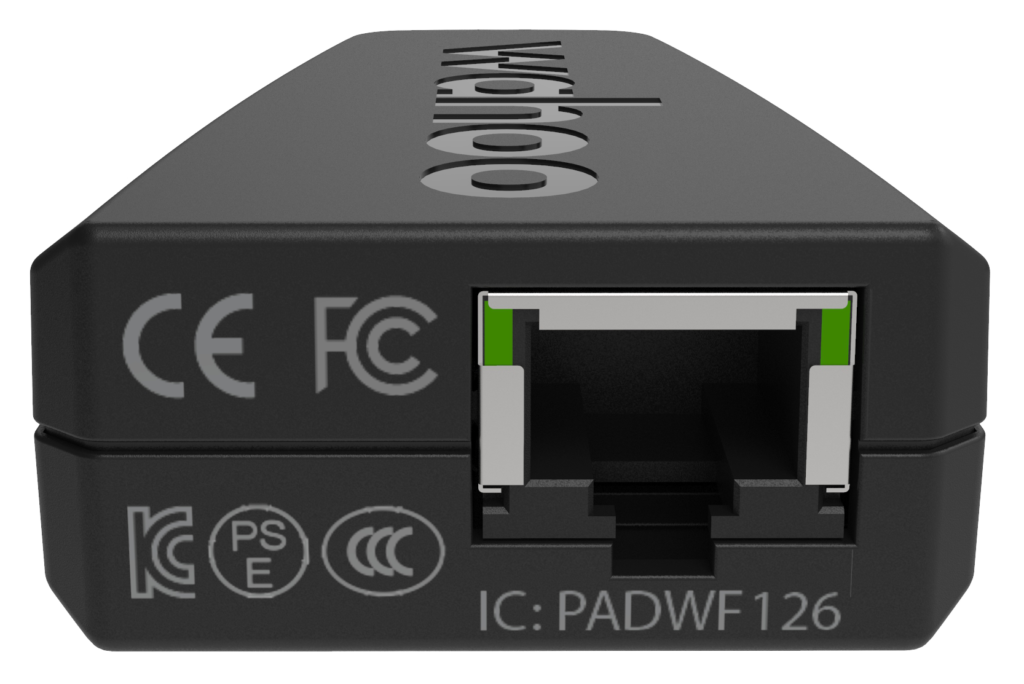
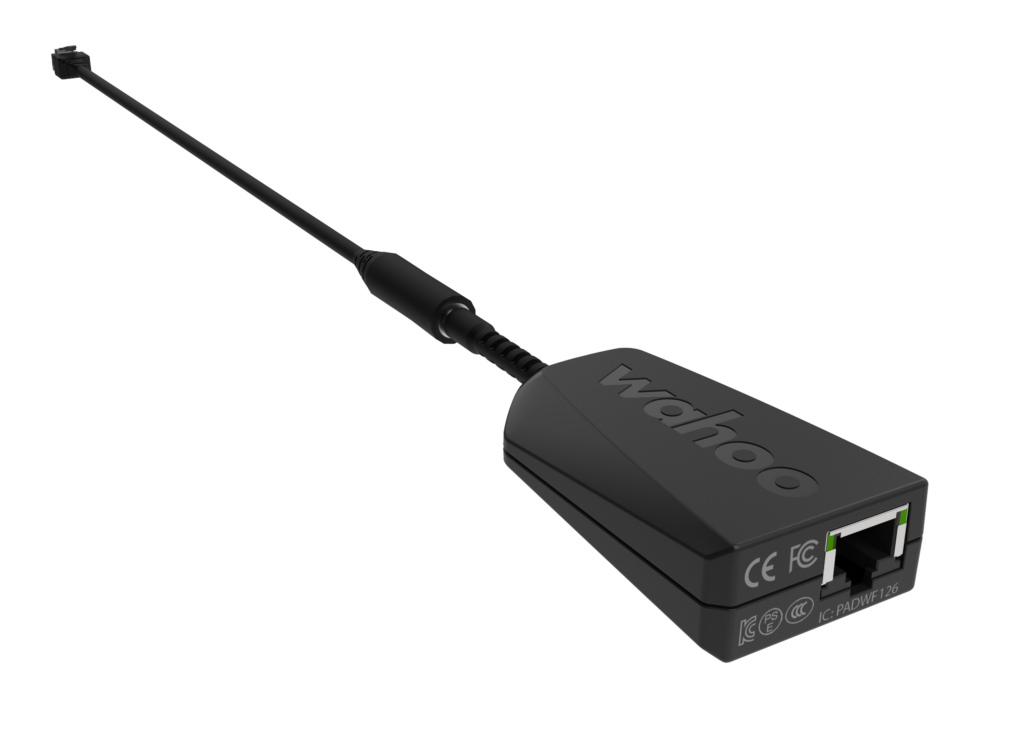
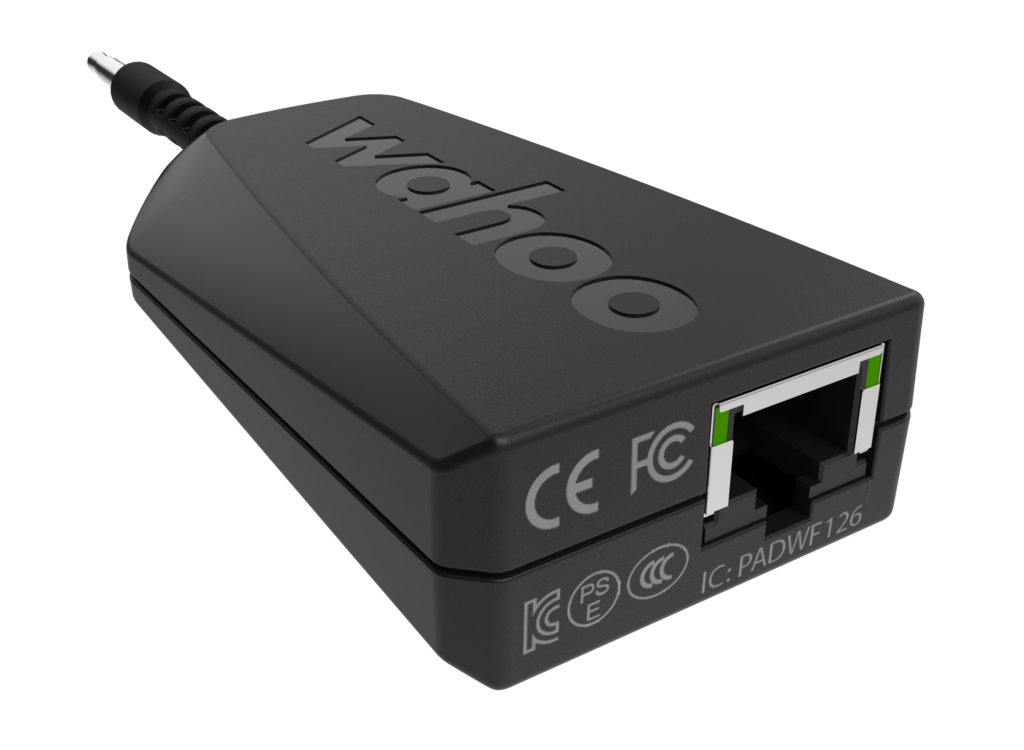
Today Zwift announced via a forum post the long-anticipated release of in-game support for Wahoo’s Direct Connect accessory. Launched in January 2021, Direct Connect allows you to plug a KICKR 5 smart trainer into your ethernet switch or directly into your computer’s ethernet jack for a “hard-wired” connection.

The hope is that this can provide a rock-solid experience free of pesky ANT+ drops and other connection issues some Zwifters have had to fuss with intermittently since early days.
Supported Platforms

Zwift’s forum post says that all platforms except PC are currently supported, as long as you’re using the latest version (game version 1.23.3). Zwift says PCs will be “will be supported in an upcoming release.”

So far we’ve tested it on iOS and AppleTV, where it worked great. If you’ve tried it on other platforms, comment below and share your experience.

Connection Options

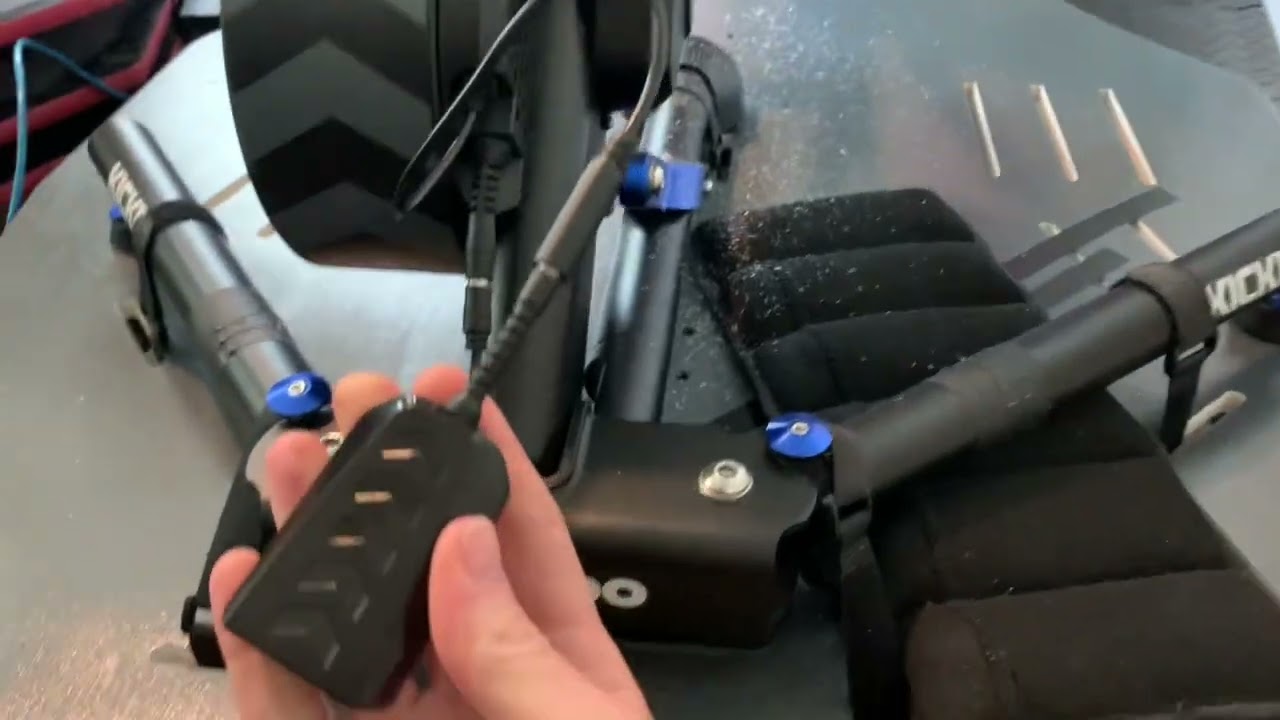
Direct Connect allows you to plug your KICKR into your local ethernet switch via a standard ethernet cable (which you will need to supply). If you’re using WiFi for your Internet connection and have an ethernet port open on your Mac (or soon, PC) you can also just plug the ethernet cable straight into your computer.

Here’s a quick and (literally) dirty video showing how the connections to a switch work:
Once PC support rolls out, direct connections to your PC will probably result in a Windows Defender firewall popup in the pairing screen the first time you try it. This is because the Zwift app is trying to connect to your trainer. Simply check both boxes and click “Allow access” and you’ll be all set.
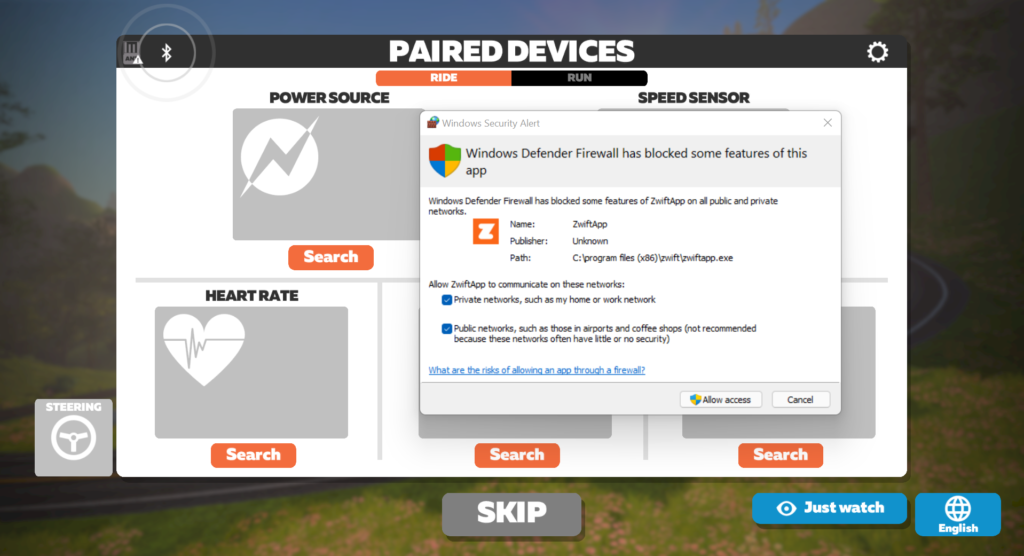
Windows Defender firewall approval for direct connection to PC

If you use another firewall on your PC, you may have to configure access via that software. Wahoo says:

3rd party firewalls may block traffic to the adapter including, Norton, McAfee, and Avast. Be sure to disable your 3rd party firewall or allow traffic on port 36866. Follow the instructions for your firewall to allow traffic on this port for the adapter to work properly.

[adinserter block=”1″]

Pairing in Game

Pairing in game is dead simple – your Wahoo KICKR simply shows up with a different connection type icon next to it.
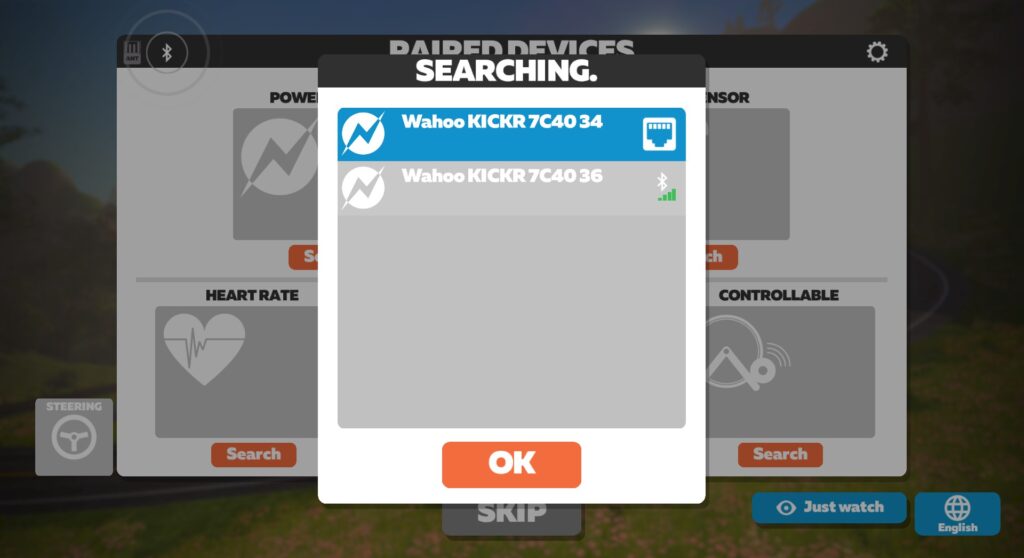
Here’s a quick video showing how it works on iOS:
Bluetooth Still Required

It’s worth noting that Direct Connect requires Bluetooth on your Mac (and eventually PC) to function, since it uses the Bluetooth protocol over TCP/IP.

This shouldn’t be an issue for most people, as most computers (especially Macs) sold in the past 7 years have Bluetooth out of the box. If not, installation of a Bluetooth adapter may be required, as your PC/MAC must have Bluetooth drivers installed in order to use Direct Connect.

Purchase Direct Connect

Many Zwifters have been waiting to buy KICKR Direct Connect until Zwift supports it. That day has finally arrived! Purchase Direct Connect here and you’ll be supporting Zwift Insider, as we have an affiliate agreement set up with Wahoo.

Further Support

For more support, see Wahoo’s Using KICKR Direct Connect page and Zwift’s KICKR Direct Connect support hub.

Questions or Comments?

Share below!

Eric Schlange
Eric Schlangehttps://zwiftinsider.com
Eric runs Zwift Insider in the spare time he finds between riding his bike and managing various business interests. He lives in Northern California with his beautiful wife Monica. Follow on Strava

30 COMMENTS

Subscribe
Notify of
guest

30 Comments
Oldest
Newest Most Voted
justin
4 years ago

It’s still hard for me to believe that they are charging $100 for an adapter because they didn’t want to wait to get the certification to include the RJ-45 connector on the KICKR.

I guess the KICKR V6 is going to include Direct Connect via wifi, which is the obvious evolution (for reasons aside from just Direct Connect).

Derek
Derek
4 years ago

At the moment I have my laptop connected to the cable modem via Ethernet, and am using the ANT+ dongle. If I purchased the Direct Connect from Wahoo would I then need to run a second Ethernet line down to the Kickr, or would simply unplug the line to the laptop and plug instead into the Direct Connect? Forgive me, but technology confuses me.

John Brooks
4 years ago
Reply to  Eric Schlange

Technically, into his router. Some people have separate modems and routers. For those people it would need to plug in to the router to be seen by the laptop. Most have the modem and router combined on a single device from their ISP, but there are a lot of people with separate devices.

Derek
Derek
4 years ago
Reply to  Eric Schlange

Thanks, Eric! I don’t trust my WiFi signal in the basement, so I’ll definitely go the second Ethernet line route. Thankfully, we already have a multiport switch I can plug it into.

Bas de Vries
Bas de Vries
4 years ago

I have an ethernet port on my Kickr. And can’t use it for PC. Because this connection is used for wireless connections.

/facepalm

Sean
Sean
4 years ago

What about trainers like Tacx Neo 2T?

Dan
Dan
4 years ago

What’s the first dongle you plugged directly into the Kickr? Is that available for purchase too?

Dan
Dan
4 years ago
Reply to  Eric Schlange

Super! I thought it might have come in the Kickr box that I tossed away a year ago!

Jimmy
Jimmy
4 years ago

Is this supported for the Kickr Bike too, or only the Kickr Trainer?

If so, do the steering controls etc all then work without the need for bluetooth – it states bluetooth is still needed, surely if needed for things like that it’s really not adding much.

Jimmy
Jimmy
4 years ago
Reply to  Eric Schlange

Well that’s made me feel stupid – I thought the spare port socket where the shifters plug in could be used for this. Lucky I never went out and bought one.

Diego
Diego
4 years ago

Is this supported for a kickr snap?

Adam Fast
Adam Fast
4 years ago

I must have the only ant+ environment that isn’t ruining my experience 🤷‍♂️ I might get a one second drop out once a week. More than acceptable to me. It picks up my second trainer across the room just as well.
-Gaming PC connected to ethernet
-ant+ dongle with a 6’ extension next to the bike

James Terrell
4 years ago

Nice, guess I can finally open that box! Thanks for the heads up.

Tim Barnard
Tim Barnard
4 years ago

Has anyone asked the question as to whether Zwift have thought of creating a plug in box like now TV Purley for Zwift with everything included built in for a smooth dropout free session.

Cristiano kenup
Cristiano kenup
4 years ago

HELLO SIR. I USE APPLE TV, CAN I CONNECT DIRECTLY TO IT?

John Bravenec
4 years ago
Reply to  Eric Schlange

I think Cristiano meant “can I plug the cable from the kickr directly into the ethernet port of my apple TV”. If I’ve read the zwift post correctly, that isn’t possible. The kicker must be connected directly to a router. I’m still curious if this frees up a bluetooth slot on an apple TV, though.

John
John
4 years ago

Wouldn’t it have been great if they just had a USB port from the get go?

David hirst
David hirst
4 years ago

Does this mean it will work with the Chromebook o/s now?

Greg
Greg
4 years ago

Not available on the Kickr Core. Bummer!

Scott A Nelson
Scott A Nelson
4 years ago

This sounds great! So if i understand, i can now avoid the power/connection drops that happen several times a week and cause me to drop off the back of fun riding groups while on group rides? If so, I’ll take a dozen (OK, an exaggeration). However, i don’t see an ethernet connection on the back of my Wahoo Smart Trainer. It is two years old. Am i out of luck or is there still a way to make this work short of buying a new one? Thanks.

Get Started on Zwift

Newest Featured Posts

Support This Site

Write a post, shop through us, donate or advertise. Learn more

NEWSLETTER SIGNUP

Zwift tips and news every 2 weeks! Click to subscribe.

More Posts