

Last week Wahoo released “race mode” for the Wahoo KICKR 6 trainer – an enhanced communication mode that sends power data up to 10x per second (10Hz). This is significantly faster than the typical 1Hz typically seen on smart trainers and power meters.
See last week’s post for details on enabling race mode >
Race Mode Rollouts
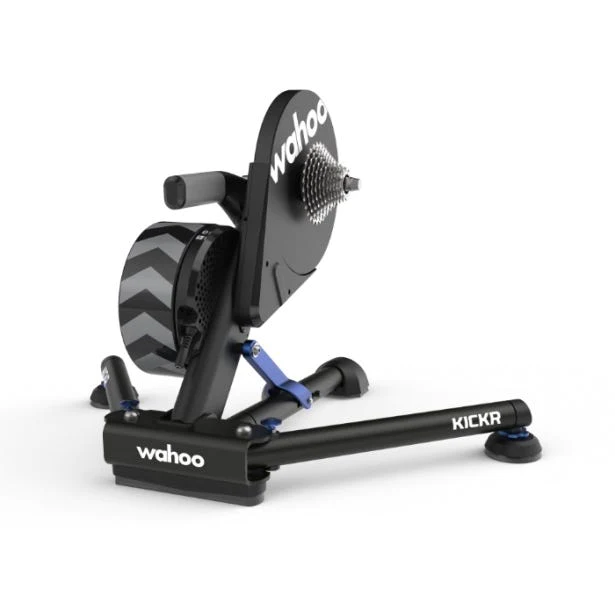
Today, Wahoo released a firmware update for the Wahoo KICKR 5 trainer which enables race mode when using Direct Connect ($99USD). Race Mode on KICKR 5 was originally planned for release later this year, but Wahoo saw the feedback from KICKR 5 owners and their engineers put in late nights to make it happen quickly. Chapeau!
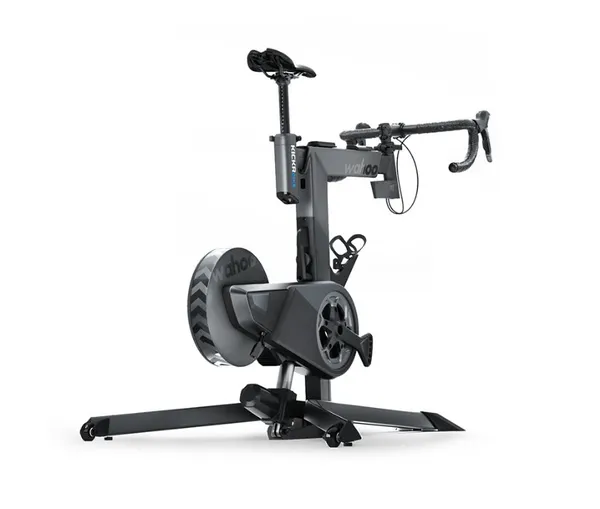
Additionally, Race Mode will soon be enabled for the KICKR Bike 2 when connected via WiFi or Direct Connect. Wahoo isn’t saying exactly when, but we’re hearing it will be in the next few weeks.
Simply put: if your Wahoo trainer/bike connects via WiFi or Direct Connect, it now supports Race Mode… or will very soon.
UCI Esports World Restriction

The release of race mode came at a somewhat awkward time, considering the KICKR 6 is the official smart trainer for the UCI Esports World Championship happening this Saturday (February 18).
We heard whispers that race mode was being disallowed for the Worlds races, and have confirmed with Zwift that this in fact the case. Why is it restricted? Because race mode requires the KICKR to be connected by WiFi or Direct Connect, and not all racers’ setups use those methods for connection.
With such a short time period between race mode’s release and the Worlds events, it seemed best to disallow the feature rather than scramble to get all riders on a race mode-enabled setup. Sounds sensible to us.
Is It Advantageous?
Our favorite Aussie Lama continues to experiment with race mode… for science! Shane released this video just today, showing how in 7 test races, race mode won 6:
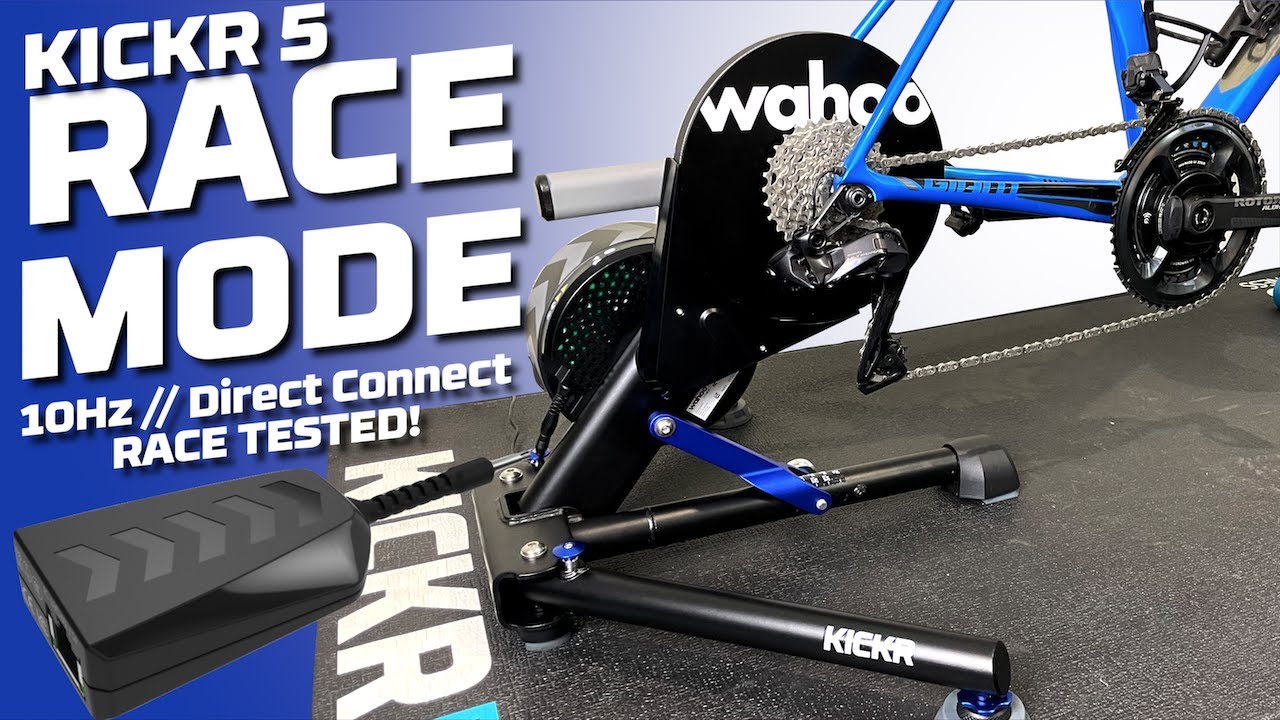
Why is race mode advantageous? Because it gives you the jump on competitors. When it comes to the final sprint to the line, Zwift will see your power spike sooner in race mode than if you’re running a typical 1Hz setup… and that may be just the edge you need.
Questions or Comments?
Post below!



It isn’t available on my Kickr v5 with Direct Connect.
I heard it is a firmware update on the Kickr v5 directly.. Have you looked if the firmware is up to date?
See my reply above. I’ve been having a failure to update firmware, and contacted Wahoo about it. It’s a known issue for anyone using a Samsung android phone.
Updated the app…….now it is available.
Something with the maths doesn’t check out. Do I have the energy to work it out is another question.
Is releasing race mode for the v4 a possibility?
No because the trainer needs to be connected to wifi (built in on the V6) or through the Direct Connect which is only available for the V5 and V6
No. Confirmed this with Wahoo. It’s WiFi only to account for increased data transfer and latency. Hopefully they’ll be able to squeeze a bit more life out of the Bluetooth FTMS protocols, but don’t hold your breath.
I kind of get the reasoning but at the same time shake my head. So they are disallowing it because not everyone has wifi? Or Direct Connect? What about GPLama’s test showing that BT is better than ANT+ not everyone has both of those connections. Direct Connect on it’s own with Race Mode off was still proven to be better than BT and ANT+.
When using race mode: does my iPad have to be connected via Wifi to the Kickr as well or is the direct connection from the kickr to the wifi and iPad to Kickr via Bluetooth ok?
The Kickr needs to be connected to your wifi. Then if the Ipad is on the same wifi Zwift will pick up the Kickr in the sensor pairing screen
There is a known issue for those trying to update with a Samsung Android.
This from Wahoo: “At this time, the only work around that we have is to use a separate Android (non Samsung running 13+ or Samsung 12/previous) or iOS device to update the firmware on the KICKR. As this is an Android OS Bluetooth change, there is no solution available other than to use an alternate device for this single update.”
I’m getting the same issue with a Motorola phone running Android 10.
Similar issue with Pixel 5 running Android 13.
Also unable to update the firmware using any of a Pixel6a, Xperia ZX1 and a Redmi Note Pro.
Ah that explains it. I have a pixel 7 and it didn’t work but was fine when I used an iPad.
It doesn’t seem like available on kickr bike v2 yet?
Same here – I’m not getting race mode on my v2 bike
“via Wifi or direct connect”. Is there any other way to connect?
Not sure if this is a serious question or not….
There is an issue updating the firmware for some users. I have the Wahoo app on a samsung android phone & a Kickr 5 connected by dircon to a windows PC. It won’t update the firmware. I got a reply from Wahoo support saying that they are aware of the problem & working on it.
My Pixel 6 was having none of it yesterday try to do the update – kept failing. Fired up an iPad Pro and it updated my Kickr 5 in minutes without issues.
Looks like they’ve fixed it. Just installed the update.
Yes, working for me as well now.
So now riders with a Wahoo trainer have a new kind of doping in Zwift XD? Sounds legit…
my realme android phone update failed, switched to iPad mini 6 to connect, firmware updated successfully. android 13, iOS 16.2, kickR v5. Latest wahoo firmware ver 4.3.0
did this update fix the climber lag ?
anyone with a climber and a V5?
Anyone have any luck getting this to show on Kickr Bike V2?
Word from some folks at Wahoo is that it’s releasing for the Bike v2 “in a few weeks”. Their website made it sound like it was supported already, earlier this week, but now it says “coming soon”: https://www.wahoofitness.com/devices/indoor-cycling/smart-bikes/kickr-bike-buy
Thanks Eric.
It was 6 months ago and still not supported … It’s a shame for folks who bought it for the race mode …
I was looking for this and getting frustrated – no feedback from Wahoo, Eric you had any updates?
They recently told me it’s coming this fall.
I updated the firmware of my Wahoo Kickr V5 to the latest version. I connected my Kickr V5 with the Direct Connect cable to my router. I enabled Racemode in the Wahoo App. The Wahoo App detects the DirectConnect and shows the IP address and hostname of the Kickr V5. My laptop running Zwift is also in the same local network. But in Zwift i don’t see any option to connect via Network with my Kickr. It seems that Zwift still connects via Bluetooth. Where is the switch or where can i see, how my Kickr is connected?
Zwift should show a network plug instead of a Bluetooth icon for the DirConn connection. If you’re not seeing that… I’m not sure what to tell ya. Contact Wahoo support? Check firewall and network settings?
Same for me. Any update?