Wahoo Releases KICKR v6 and KICKR MOVE Firmware Update: Virtual Shifting + Race Mode Over BLE

Wahoo just released firmware updates for the KICKR v6 and KICKR MOVE, bringing two new Zwift-specific features to their flagship smart trainers: virtual shifting and race mode over Bluetooth!
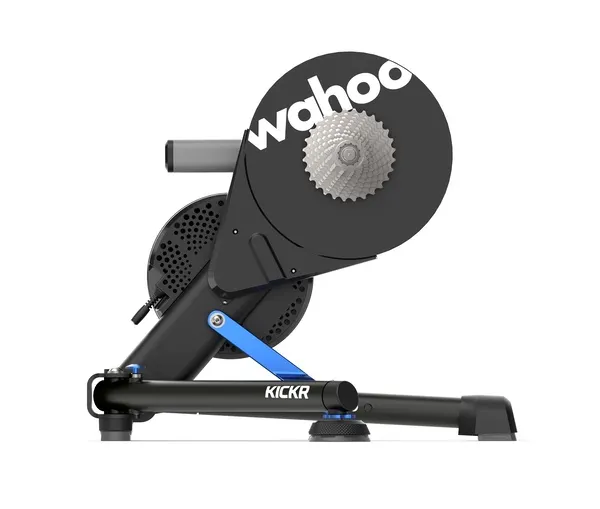
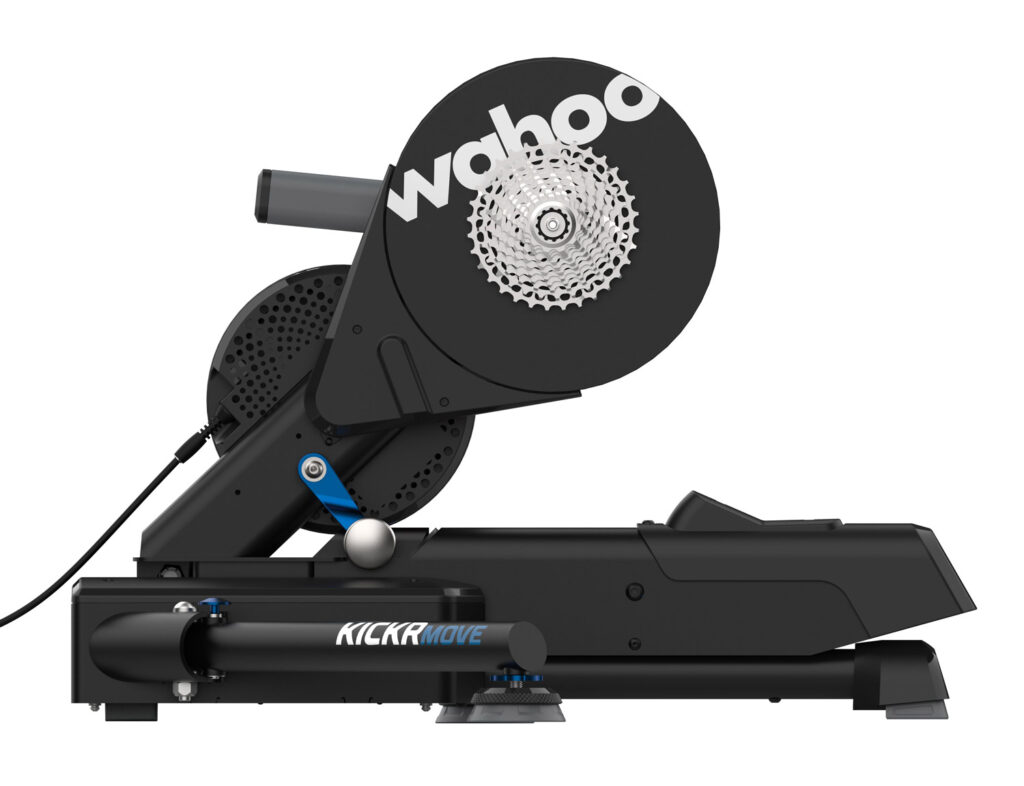
Not sure which version KICKR you have? The KICKR v6 has a WiFi status light instead of an ANT+ light. For more, read Differences Between Wahoo KICKR Versions.

Virtual Shifting

With virtual shifting, your chain doesn’t move between different rear cassette cogs when you shift. Instead, when you click to shift using your Zwift Click or Play Controllers, the resistance on your trainer changes so it feels like you’ve changed cogs.

This is how smart bikes like the Wahoo KICKR Bike, Tacx Neo Bike, and Stages SB20 have worked for years (although they use their own shifters, not Zwift’s). Today’s update adds virtual shifting to the KICKR v6 and KICKR MOVE, bringing the list of smart trainers supporting Zwift virtual shifting to four:

  1. Zwift Hub
  2. KICKR Core
  3. KICKR v6
  4. KICKR Move

You don’t need the Zwift Cog on your trainer to enjoy virtual shifting. In fact, we would argue that virtual shifting is smoother and quieter with a standard cassette! All you need is a Zwift Click or Play Controllers and your updated KICKR trainer on Zwift.

Keep in mind that you won’t get virtual shifting capabilities if you pair your KICKR via ANT+. It must be paired via Bluetooth directly on your device, via the Companion app, or via your local network.

Race Mode on Bluetooth

Race Mode sends power data to Zwift 10x per second (10Hz), instead of the default of once per second (1Hz). This increased responsiveness can be advantageous in races.

Before today’s firmware update, Race Mode was only available if you connected your KICKR via WiFi or the Direct Connect adapter. Now, as long as you’re connected via Bluetooth, Race Mode will be available.

Updating KICKR Firmware

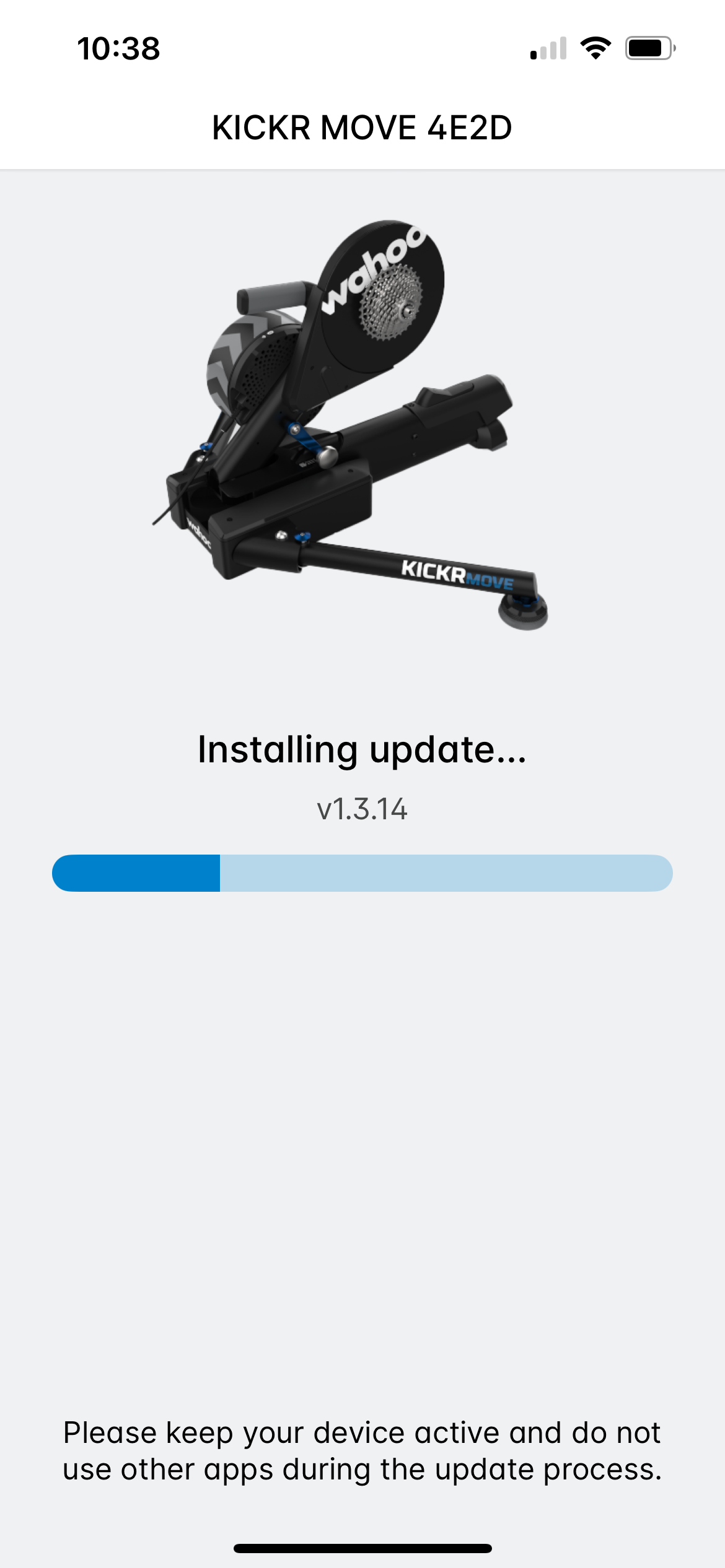
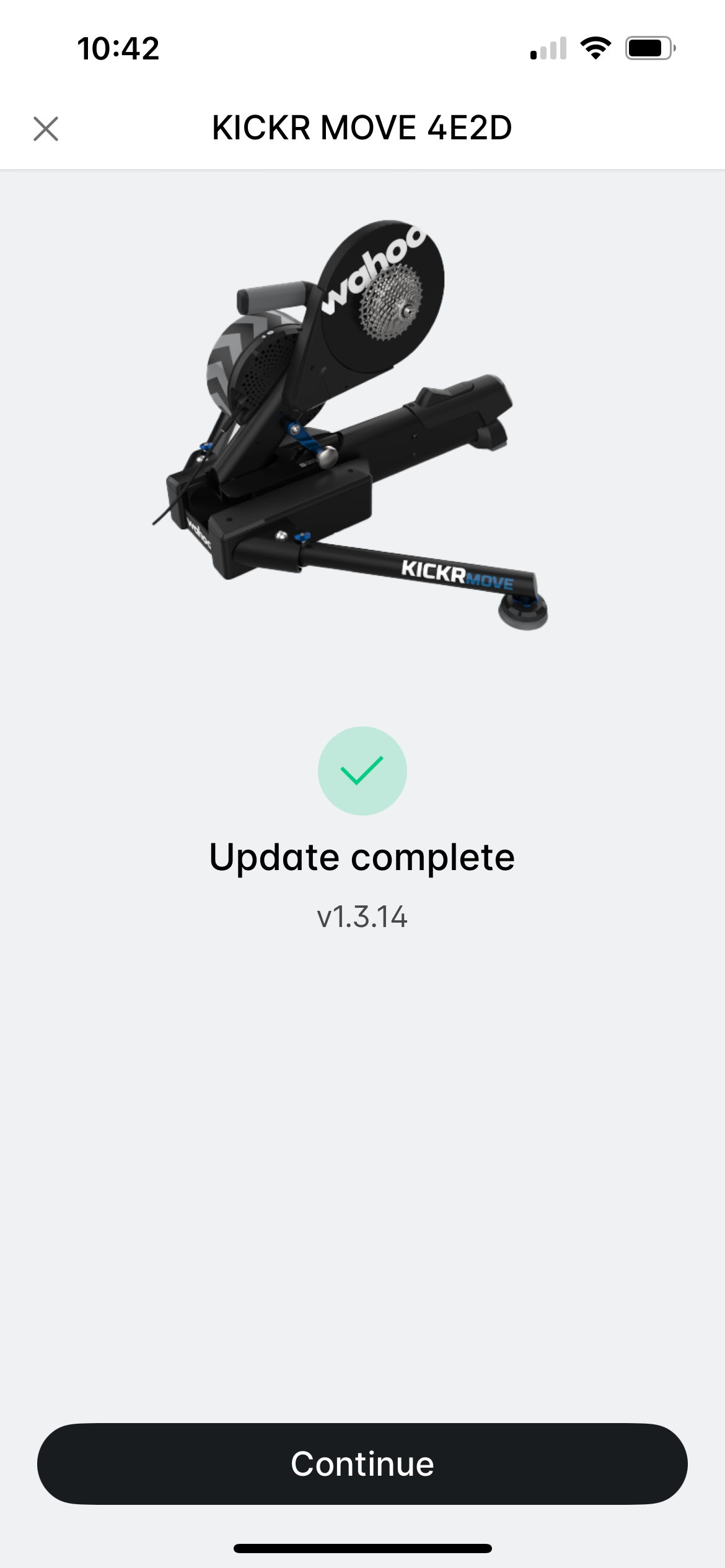
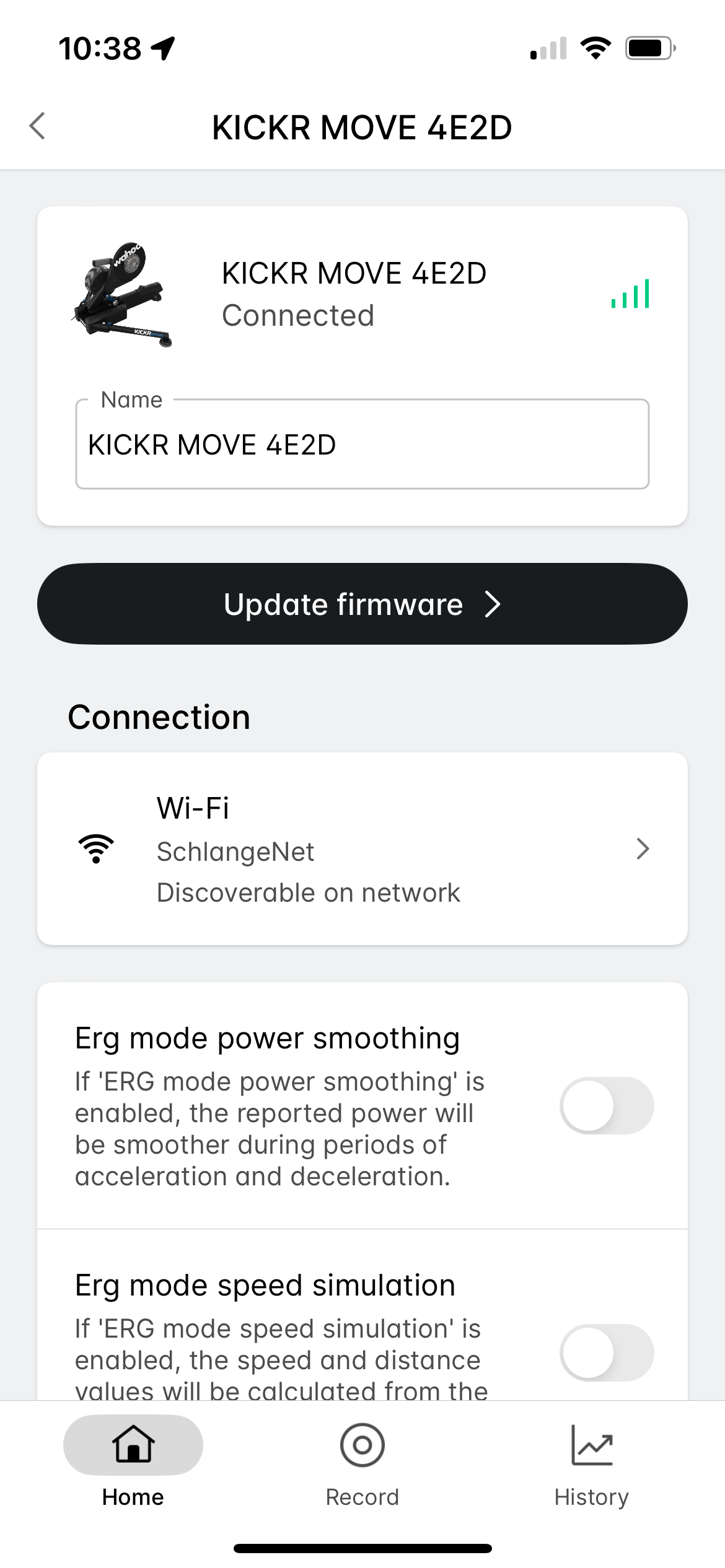
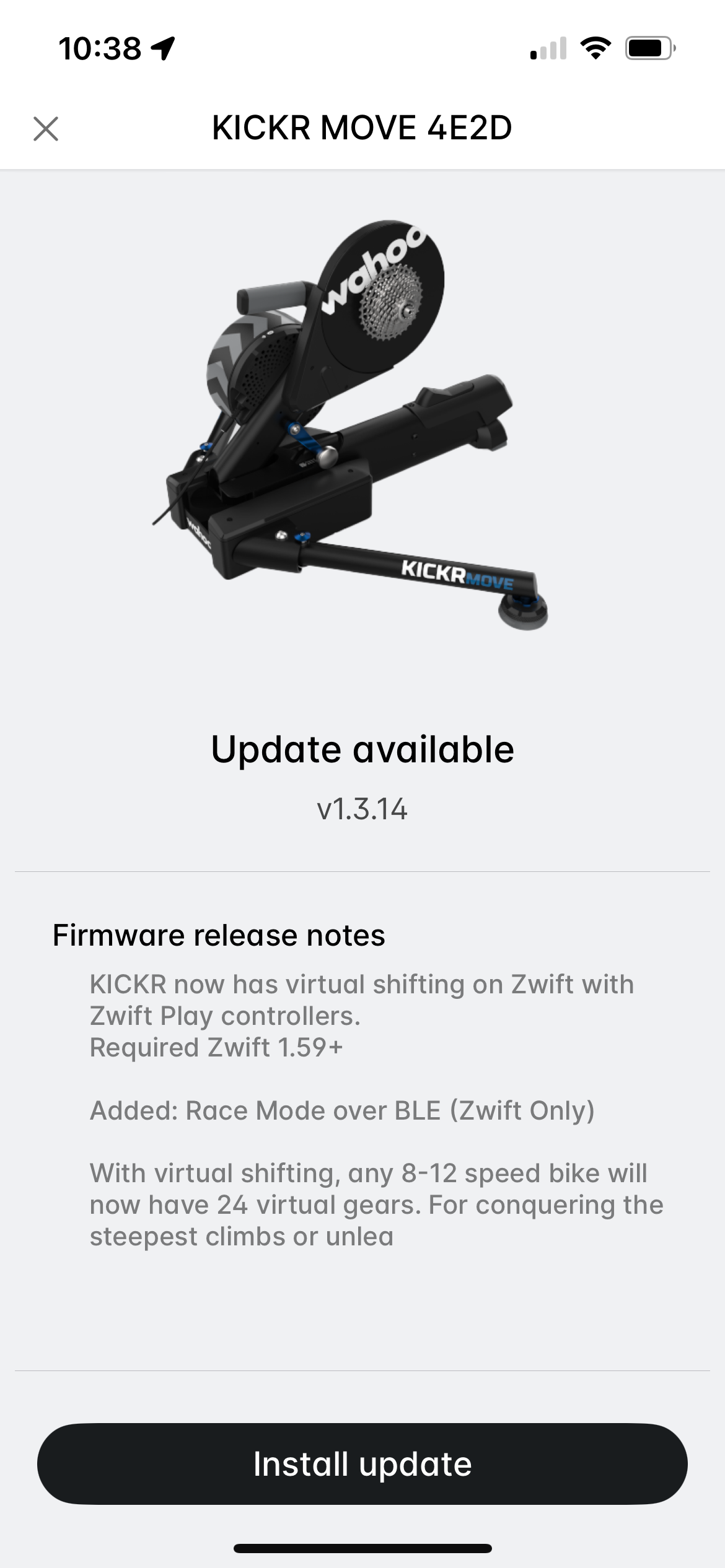
Installing new firmware is easy using the Wahoo app (available for iOS and Android). Just add your KICKR to your list of sensors if you haven’t already, then click it for details. Tap “Update Firmware” and follow the instructions:
What About Older KICKR Trainers?

Wahoo has said they’ll be releasing virtual shifting for KICKR v4 and v5, but we haven’t seen any hard release dates yet. Stay tuned!

Questions or Comments

Share below!

Eric Schlange
Eric Schlangehttps://zwiftinsider.com
Eric runs Zwift Insider in the spare time he finds between riding his bike and managing various business interests. He lives in Northern California with his beautiful wife Monica. Follow on Strava

69 COMMENTS

Subscribe
Notify of
guest

69 Comments
Oldest
Newest Most Voted
Lloyd
Lloyd
2 years ago

That’s very interesting about Race Mode over Bluetooth. Any plans for that coming to other models? Would love to activate it on Kickr Bike v1

KansasIronman
KansasIronman
2 years ago

Quick comment that I just discovered today unrelated to this but applicable. IF you use Android 13 you CANNOT update the firmware on V6. See Wahoo https://support.wahoofitness.com/hc/en-us/articles/9504620572050-Firmware-update-failure-with-Samsung-phones-on-Android-13

I have to find another device to update my kickr

William Miller
William Miller
2 years ago
Reply to  KansasIronman

I thought this was only a one-time problem, and once you get it updated past a certain firmware it’s no longer a problem. I guess I’ll find out in a little while when I get home to update my kickr v6 with my s21+.

KansasIronman
KansasIronman
2 years ago
Reply to  William Miller

Actually, I think that may be correct. But I haven’t gotten past that firmware yet

William Miller
William Miller
2 years ago
Reply to  KansasIronman

Ah ok. Need to get a friend over with a different device then. I am lucky to have an iPad laying around from my son. I successfully updated, and Zwift prompted me to activate shifting upon connecting everything. I’ll have to play with the shifting another day as it’s erg workout time.

Speed Brophy
Speed Brophy
2 years ago
Reply to  KansasIronman

I concur. I have android 13 on a pixel 4a and even getting the app to connect to trainer V6 is a chore. I hope these aren’t mandatory updates. This trainer drops the wifi and bluetooth for me. I haven’t had a problem using FE-C though.

Christopher Beattie
Christopher Beattie
2 years ago
Reply to  KansasIronman

Had the same issue with my brand new Powrlink pedals. No way around it. Had to get my brother to do it.

Ryan
Ryan
2 years ago

I bought a Zwift Hub One for my vacation place on clearance sale before they cancelled it. I regularly ride on a Kickr v5. The Hub One is a much smoother experience with more gears and what seems like (to me anyway) more accurate power readings. Of course I’m using two different bikes as well so not sure what is bike vs trainer. Still, glad to hear they are making virtual shifting available on the Kickr v5. Can’t wait actually.

Molten
Molten
2 years ago

Just a question to clarify me, please Eric:
Virtual shifting works with the trainer paired via WiFi, or not?

Keith Woolgar
Keith Woolgar
2 years ago

Is it possible to use virtual shifting on Kickr Core with Zwift Click as appose to Play controllers and if so is ‘click’ available as a stand alone product?

zwifteraero
zwifteraero
2 years ago

So does it means that there will be race mode for kickr core? @Eric Schlange

Rad
Rad
2 years ago

Is there any information if they will sell the Click as stand alone? I have MTB flatbars which don‘t fit with the current Play and I don‘t need the Cog.

Edgar
Edgar
2 years ago

I have a 2016 Kickr. Will this model receive the firmware update?

James
James
2 years ago
Reply to  Edgar

I’m with you, I love this on my Kickr Core, fingers cross it’ll also come out for my Kickr v3 as well.

I don’t want to go back to using real gears again.

Jörn
Jörn
2 years ago

Is race mode also supported when the trainer is connected via WLAN with the Zwift app instead of bluetooth?

Laura
Laura
2 years ago

I hope the v4 gets it. I have the play controllers and want that shifting soooo much!

Jed Reimer
Jed Reimer
2 years ago

Is this new shifting compatible with Wahoo SystmX?

Charles Morgan
Charles Morgan
2 years ago

Between the click or the play controller, which is considered the better option for shifting?

Shu
Shu
2 years ago
Reply to  Eric Schlange

Zwift Cog+Click for $79.99, whereas Zwift Play for $99(Beta version). I guess Play is worth the extra $19.01. Alas not available in AU yet.

Tom
Tom
2 years ago

Any word on whether Zwift Play controllers will be sold outside US/UK/EU to take advantage of this update?

Christopher Beattie
Christopher Beattie
2 years ago
Reply to  Eric Schlange

Thanks for the info Eric.

Brian (FrEddy Merckx)
2 years ago

Dang 😭, and I just ordered a XD/XDR freehub for my other 12 speed bikes the day before to be able to set them up on my Kickr. Thanks Wahoo 😭 and thanks for doing it even though I already bought the freehub. tested it out on 3 bikes tonight and it’s amazing (with the exception of the time mounting up a thru axle setup for a bike). can’t wait to try out my old 6 cog Merckx tomorrow on the QR setup

Daniel Breiman
Daniel Breiman
2 years ago

OK, so I just used virtual shifting on my Kickr v6 with Play controllers. Pretty neat and I imagine I’ll keep it turned on since many of my Zwift rides are short pacebot rides that are in 1 to 2 gears anyway.

The only fairly interesting issue I have with it, and I imagine not many people will experience this, is if you have a Kickr Headwind, specifically if you keep it in Speed mode.

Because the Headwind in speed mode is based off of trainer speed, not virtual speed, it causes the headwind to be in reverse. So, going up a climb when using virtual shifting will cause the headwind to speed up as if you’re going faster (because indeed the trainer itself is going faster or at least not slowing down).

Thought that was an interesting thing, but I’ll keep using it (and perhaps still keeping the headwind in speed mode despite the weirdness described above). I better be careful though, it’s making me want to outfit my outdoor bike with electronic shifting 😉

Magnus
Magnus
2 years ago

I really hope they quietly fixed the bug in the Kickr v6 that gives random power spikes of 2000 W when the ERG mode is switched in/out.

William Miller
William Miller
2 years ago
Reply to  Magnus

Nope. I got that after the firmware update yesterday. Riding along at 178w then resistance drops and see 2000w lol. One day.

Pierre
Pierre
2 years ago

I tested the virtual gears on my Kickr Move + Zwift Play yesterday.
Actually I “only” got 13 gears. And gears 1 to 9 offers a very low resistance (even if my chain is on the 53X15). Which means I just got 4 effective gears (10 to 13). Is there any possibility to increase the resistance of the virtual gear (if I want to sprint I got to switch to the 53X11 + the maximal virtual gear (13) and I’m quite light and not very powerfull (max 700W over 15s)

Hybrid Noob
Hybrid Noob
2 years ago
Reply to  Pierre

There should definitely be 24 gears so something seems wonky there
🤔 Typically I find myself between 12-20 range depending.

Last edited 2 years ago by Hybrid Noob
Pierre
Pierre
2 years ago
Reply to  Hybrid Noob

Finally I got the 24 gears. Don’t understand why at first, I was limited to 13 ???

Pierre
Pierre
2 years ago
Reply to  Eric Schlange

Yes. Sure. I pedaled very slowly because I just started my warm up. Is there any way to change this auto-calibration? Or it’s done “for ever” ?

Pierre
Pierre
2 years ago
Reply to  Eric Schlange

Thanks. Actually I have done other sessions of Zwift and it remain super easy. They should ad a possibility to manualy increase the rolling resistance.

Hybrid Noob
Hybrid Noob
2 years ago
Reply to  Pierre

It definitely auto calibrates even in the pre ride menus I’ve found so probably best to do the super soft pedalling before starting up Zwift 🤷‍♂️

Pierre
Pierre
2 years ago
Reply to  Hybrid Noob

Thnaks. It make sense. But this means I always need to do my warm up before entering Zwift ?

Hybrid Noob
Hybrid Noob
2 years ago
Reply to  Pierre

I now just make sure it’s on the 14 tooth cog in the big ring beforehand (big ring is my preference) and then cope with the first few seconds at a low cadence while doing all of 100 odd watts before the calibration happens quickly and then shift down the virtual gears to get a more comfortable warm up in. It barely takes any time to calibrate thankfully.

AL
AL
2 years ago

Bit disappointing that they have not released the update for the V5 yet, i need a practical use for the play controllers!

docfink
docfink
2 years ago

When virtual shifting becomes available on my older Kickr, will I have to remove the cassette and buy the plastic adapter that now comes with the Core or can I just leave my chain in one cog on the cassette and then use the Play controllers to virtually shift the bike? I would think that would be the same as if it had the new single cog.

Mac
Mac
2 years ago
Reply to  docfink

Yep you can just stick with the cassette you have and leave it in one of the rings.

Joe
Joe
2 years ago

Since updating this firmware update, power accuracy is off with the virtual shifting. Power measurements were always within the 1% with the Assioma duo. After testing in a few events, power is 3-4% off using virtual shifting.
I sent a ticket to Wahoo support. Will see what they say.

Brian Brothers
Brian Brothers
2 years ago
Reply to  Joe

That would explain my race power today since I switched to virtual shifting. And I felt that the lag from shifting virtually was instant but the in game result was delayed significantly resulting in being unable to properly regulate power on the Titans grove rollers

Last edited 2 years ago by Brian Brothers
Pierre
Pierre
2 years ago
Reply to  Joe

Exactly the same for me. Before the virtual shifting, my Assomia were always minus 1% vs the Wahoo Move. Now, they are above the Kickr for 1% (that doesn’t make sense since the power applied on the pedals should be higher than on the rear wheel).

Joe
Joe
2 years ago
Reply to  Pierre

I’ve done multiple tests on mine with and without virtual shifting. My Kickr 6 is 3-5% higher than my Assioma Duo’s. Prior the updated firmware it was consistently 1%. I’m thinking the auto calibration is off. Still waiting from Wahoo support for the next steps.

Joe
Joe
2 years ago
Reply to  Eric Schlange

Erik, did you do a manual calibration after the update? I wasn’t done this yet.

Jeff Schaffer
Jeff Schaffer
2 years ago

Just used the virtual shifting for the first time. It’s different, but very easy to use. I have the Zwift Plays for steering and other uses. I thought the braking buttons were not only useless but interfered with good riding. I mean why would you need to brake on Zwift riding anyway. So now those buttons are for up and down shifting.
If you want to use virtual shifting you DO NOT NEED to get the Cog and Click. You can use it by leaving the bike on a mid range gear in the back and using the Plays to up and down shift.
I have eTap wireless shifting on my bike so shifting was easy to begin with. And I kind of like moving the gears around to change my effort. But I get 24 gears on virtual instead of 18 on manual.

Eric, could you communicate to the Zwift developers that it would be nice if there was one clicking sound when upshifting and a different click sound when downshifting. They already mimic real sounds from riding so this should be easy to do. If I think of any other ideas I’ll come back here.

Hybrid Noob
Hybrid Noob
2 years ago
Reply to  Jeff Schaffer

Am I right in thinking you remapped the gear shift buttons on the Plays? If so, how so? Thanks.

Jeff Dchaffer
Jeff Dchaffer
2 years ago
Reply to  Hybrid Noob

I did nothing. The software and trainer apparently figure out what gear ratio you are using and adjust the virtual ratios to get their range of 24 “gears”.

Hybrid Noob
Hybrid Noob
2 years ago
Reply to  Jeff Dchaffer

I’m referring to this bit of your post that makes it sound like you remapped the shift buttons to what are otherwise the brake buttons:
“I thought the braking buttons were not only useless but interfered with good riding. I mean why would you need to brake on Zwift riding anyway. So now those buttons are for up and down shifting.”???

Thanks.

Jeff Schaffer
Jeff Schaffer
2 years ago
Reply to  Hybrid Noob

It does sound like I remapped the brake buttons. Sorry, that’s wrong. There are shift buttons AND brake buttons. But still the Cog and Shift and unnecessary and in fact will complicate the issue. Forget about them and just use the Plays for all virtual shifting.

Kranky
Kranky
2 years ago
Reply to  Jeff Schaffer

Braking is useful during Team Time Trial to not overshoot the wheel you are supposed to follow. Also when racing allows play controllers, keep your avatar from riding in front and let others do the work.

John Wheatley
John Wheatley
2 years ago

Hi, will there be a update for the V5 virtual shifting

Bikelink
Bikelink
2 years ago

Have a ‘too many variables’ pre purchase question about ‘number of connections and my possible setup. Sorry for length of this question/comment?!!

I hope to have everything other than Apple TV remote and heart rate monitor on a Ethernet cable (two) talking to modem LAN ports (kickr I hope as below, and already Apple TV), or the Wi-Fi (iOS for companion)

Is the below gonna work … or am I having a heart rate monitor problem?

1) adding a Direct Connect to my V5 2020 kicker for race mode (which has a climb which shouldn’t matter for anything I think) ok no problem

2) AND buying the Zwift Play controllers which take all 2 of the Apple TV BLE’s (along with third just for Apple TV remote)

3) I’m already running Ethernet LAN to my Apple TV, and using companion app on either an iPad or iPhone iOS device (which uses Wi-Fi ‘same network’ (IP?) as Apple TV)

4) Have arm tickr fit but that’s not gonna be able to go to Apple TV separately with ‘play’ controllers.

Q1: how the heck will I do the heart rate signal?

Maybe wahoo kickr somehow can carry the heart rate signal? Or some other heart rate monitor solution?

Hope I DON’t have to use (if this even works) my old North Pole engineering ‘cable’ to use to bundle the play controllers with the heart rate signal (IF it even would do that clunky).

Q2) OR what other problems will I have that I didn’t even consider lol?

Am open to buying different heart rate solution if helps would like to move to chest band anyhow I think?

Thanks anyone in advance for any experiences, suggestions, or other help!

Anders
Anders
2 years ago

Any news about kickr v5 and Zwift cog

Diana
Diana
2 years ago

Just to clarify one thing, is the Wahoo v6 now compatible with the Cog? On the Zwift website it doesn’t mention anything about it, just the virtual shifting. I really need the cog so we don’t have to change cassette every time we swop rider (me and my partner uses the same trainer with different bikes) Thank you and Ride On!

Jeff Schaffer
Jeff Schaffer
2 years ago
Reply to  Diana

Again, no one NEEDS the cog. Just leave your cassette on the bike. Put it in a mid range gear and on the trainer. Then use the zwift plays to change virtual gears. It will be more intuitive to change gears on the plays than on the clicker. I promise.

David
David
2 years ago

Still crickets from Wahoo on updating the Kickr v5 firmware for Zwift virtual shifting. I can’t figure out how to contact them that doesn’t spew back AI nonsense.

Get Started on Zwift

Newest Featured Posts

Support This Site

Write a post, shop through us, donate or advertise. Learn more

NEWSLETTER SIGNUP

Zwift tips and news every 2 weeks! Click to subscribe.

More Posts