

Normally I resist getting into Zwift tech support issues via a blog post, because there are such a variety of potential causes and problems that it’s better left to the professionals But I wanted to share this tip to help any Zwifters who may otherwise miss a ride or run, because I know how important regular exercise is during these challenging times. So let’s get into this!
The Problem
Spoiler alert: I don’t know the precise problem. Here’s what I know:
- Over the past week or so I’ve seen numerous posts from Zwifters in Germany complaining that they aren’t able to log into Zwift.
- It appears to not be a steady problem – sometimes logging in works, other times it does not.
- All the while, their Internet connection appears to be working fine. They can connect to other sites and services.
- All the German Zwifers I’ve queried who reported the problem were connecting through Deutschs Telekom, who appears to be the largest ISP in Germany.
- The rest of the world is able to log onto Zwift fun during these times – it’s not a system-wide Zwift problem.
- I’ve seen riders from Poland complain of similar issues when connected through T-Mobile. I’m not sure if it’s affecting other countries.
When you log into Zwift, information from your computer travels through a variety of devices before hitting Zwift’s servers. And it’s the same when Zwift’s servers talk back to your computer. It appears that the Deutsche Telekom service is functional. Zwift’s service is functional. But somehow, the two aren’t staying on good speaking terms. Possibly AWS (Amazon Web Services, which Zwift runs on) is blocking data from Deutsche Telekom. Or Deutsche Telekom is blocking data from AWS, perhaps as a way to throttle Internet usage at a time when it is spiking. Or something else is going on in between.
Lots of German Zwifters have chimed into this thread on the Zwift forum, if you’re interested.
For Zwifters, understanding the exact problem isn’t the big deal. Getting a solution, so they can get on Zwift, is the important thing! So let’s get to that.
Two Solutions
There are two solutions: use a VPN, or connect via mobile data.
Connect via VPN
A VPN (virtual private network) has many uses including accessing a secure network remotely (work from home, anyone?), bypassing geo-restrictions, and protecting the your privacy. CyberGhost VPN describes their service this way:
CyberGhost VPN is a piece of software that hides your IP address and reroutes your internet traffic through an encrypted VPN tunnel. This way, you can protect your digital identity from your ISP, government authorities, and snoopers.
Setting up a VPN service and connecting your Zwift device through it should fix any connection problems German (and Polish?) Zwifters are having. Two VPN services I’ve seen recommended by German Zwifters are CyberGhost VPN and ProtonVPN.
One Zwifter Martijn Vreys wrote to me detailing his experience with login issues and the solution with CyberGhost:
Hi Eric,
This is awesome, many thanks for the advice. I was indeed having trouble logging into Zwift and did notice that 4G worked perfectly, but Zwifting from my phone is just not as much fun.
I followed your recommendations and went with CyberGhost. I got a subscription (there are different payment plans available, starting at 12.99 euros for 1 month to 2.64 euros per month for a 3y subscription. After setting up your account, the website will let you download the software onto your laptop, where you can log in with your newly setup account. It then shows you which country you are currently connected to (Germany) and which countries you can choose from (I took Belgium).
You select the country, it sets up the VPN in seconds, and then I opened Zwift. It worked perfectly, while it didn’t work 10mins before I started this via regular wifi connection. Super quick, super easy, not very cheap but saves countless hours of trying to log in. Many, many thanks!
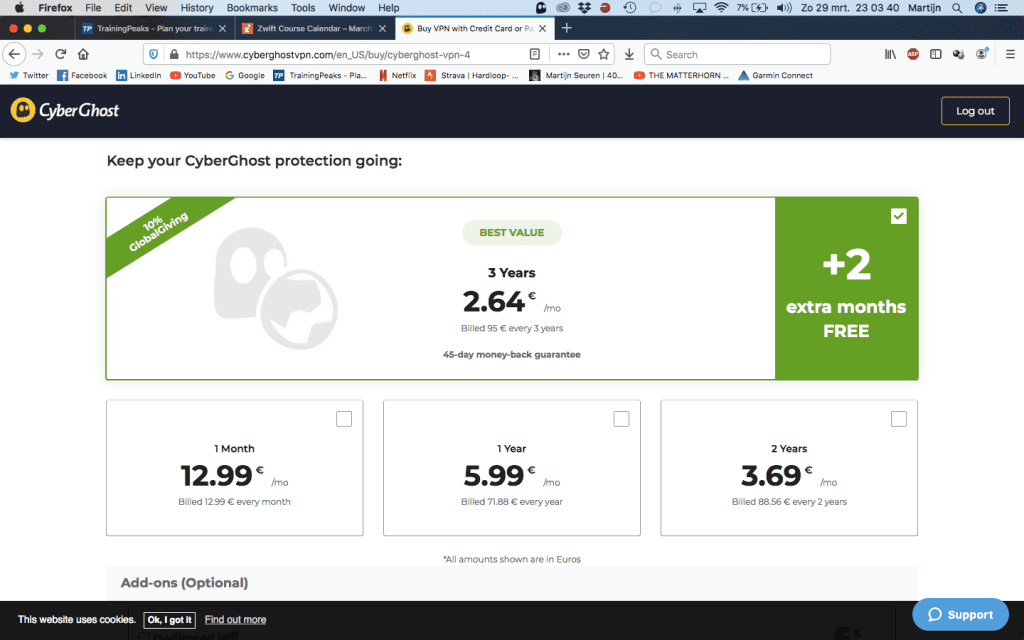
CyberGhost pricing 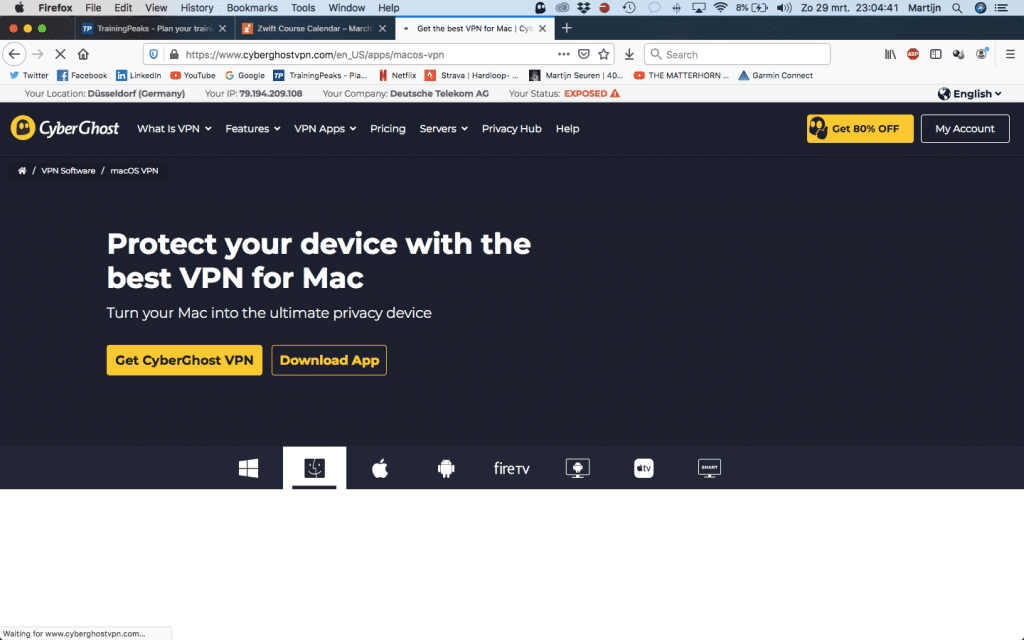
We can see Martijn is connected via Deutsche Telekom 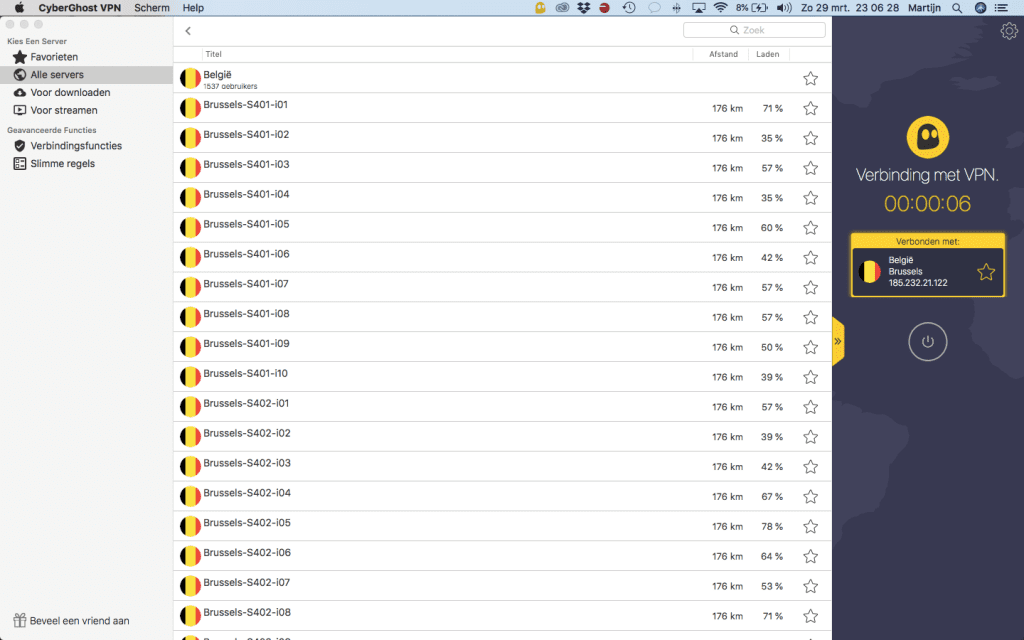
Selecting a server to connect through
One important note: if you connect through a VPN, the Companion app will not see your active Zwift session unless your Companion device is also using the VPN.
Connect via Mobile Data
Another solution is to connect to Zwift using your mobile device’s data plan. Assuming your mobile device uses a different network than your ISP (eg, Deutsche Telekom) this should work as well. Just turn your mobile phone into a hotspot, then connect to Zwift through that wifi.
You will incur some additional mobile data use this way, but it shouldn’t be a massive amount if you’re only riding Zwift (not downloading the game for a fresh install, etc).
Questions or Comments?
Share info below! I may not be able to answer questions or fix problems, but perhaps Zwifters can share info below and help each other out!


I’m not in Germany but I have had issues with Zwift dropouts using my local internet provider (long before the current situation). I started using a VPN for Zwift about a year ago and it works like a charm.
I had the same in Malaysia last week. If I hotspotted through my phone (without a VPN) before log in I could access Zwift and log in, then I untethered, rode (with others like normal) and then reconnected to my phone in order to save the workout to Zwift etc. It only happened for a day or two, but what is more worrying was that when I connected Zwift support I didn’t hear anything and still haven’t. I understand these are difficult times but can’t they have a team that work from home like we all have to?
I live in Germany and have that problem with Deutsche Telekom. So no login possible. Since 5 days I have used the mobile hotspot workaround. The funny thing is that I only have to be in the mobile network to login and to enter the course. When I‘m on the course, I can switch to the usual internet connection again. That’s good to have Spotify running in parallel. I can‘t see all rider names, but it works ok. Nevertheless I have to switch to mobile network again to log off. Otherwise my workout ca not be saved.
I really hope there will be a fix soon to ride on without workarounds. Deutsche Telekom hardly response to that issue.
3. Switch ISP
Not that easy. In Germany there’s often no choice. And contracts are 2 Years.
Mobile data usage was yesterday in very crowded Richmond 350 MB for 90 min ride.
Log in , when your on the Map you would like be at, Put it into Airplane mode. right be for you upload it, take it off of airplane mode.
If you connect via VPN you get problems running the companion app at the same time.
It not only affects Zwift. Other services running in the Amazon Cloud (aws) are afffect as well from a landline using Deutsche Telekom. The whole 52.93.0.0/16 network cannot be reached (e.g. using traceroute). I guess this is a part of the aws us-west region. Please open a support ticket at Deutsche Telekom so they are getting aware of the issue using the correct process.
I’d be interested in any solutions on how to install a VPN on Apple TVOS. It’s not so easy from my web searches…
Here’s the (Deutsche) Telekom Support page about the issue:
https://telekomhilft.telekom.de/t5/Telefonie-Internet/Seit-gestern-Abend-25-03-2020-massive-Stoerungen-bei-ZWIFT-com/m-p/4472388/highlight/false#M1213728
Thanks Eric, the VPN solution works perfectly. I´ve been running my Zwift setup for 3 years here in Germany so I knew the login problems during the last few afternoon sessions would be caused by external issues. It´s probably a misconfigured server at either T-Online or Amazon Web Services which kicks in only in times of heavy load (i.e. lots of local Zwift users) so it shouldn´t be a permanent issue. Anyways, the VPN solution works great and I happily shell out 5 Euros for that interim solution. OU1.
Cheers
Chris
COVID-19 related shelter at home orders have driven up home internet usage of video to the point ISPs are maxing out their networks.
Interesting that this becomes my problem. I am a paying customer. Should be Swift sorting it out with Telecom and not vice versa. My problems started today with the update of the program ……….. if it aint broke do not fix it
Go like this dear Zwift and You will clients soon
loose clients
typo error: lose
Im having login issues here in Malaysia. With the hot-spot workaround, will i be able to connect my companion app as well? Running all my sensors via bluetooth to my phone atm, and linking it via companion
Should work. Try it and find out! It’ll only take 3 minutes to test…
My husband has been trying to log into Zwift for the last couple of hours. It says that there are no roads to ride on
No network connection this afternoon from Germany using WiFi, mobile data seemed to work but I am concerned how much mobile data will be used for a 1hr workout
So to be able to use paid program (ZWIFT) I have to use another paid program (VPN). Seems legit!
I looks like a problem with internet operators, not with Zwift. Hope now in Poland Zwift works fine, cause I think about bringing my trainer from the basement 😉
It is a massive issue in China now. VPN is not an option in China due to legal reasons.
this makes Zwift basically unusable in China
I lost all of my previous three rides and over 4hours of training effort…
#cancelsubscription