

Functional Threshold Power (FTP) was on the rise as a top cycling fitness metric even before Zwift arrived in 2014. Power meters were becoming more affordable, TrainerRoad had already been around for a few years, and cyclists were reading books like Training and Racing with a Power Meter.
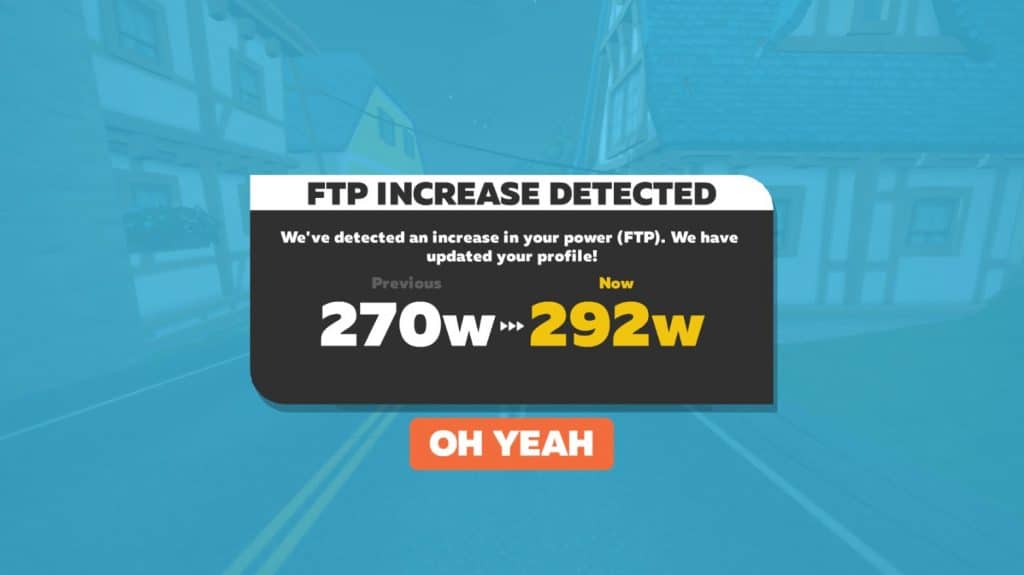
But it’s safe to say Zwift’s arrival and explosive popularity helped make FTP an even more popular metric – the de facto fitness metric for cyclists, in fact. This happened because Zwift races used FTP for categorization, and Zwift was always watching, ready to give you that glorious popup:
But what is FTP, really? How is it best measured, and how should it be used? Let’s dig in!
FTP: A Definition
Many cyclists understand FTP to be the highest average power you can sustain for an hour, but that’s not actually what it is.
It’s called functional threshold power because it’s based on your lactate threshold. LT is the intensity level where lactate begins to accumulate in your blood. Ride above LT and lactate will accumulate, forcing you to reduce power within a few minutes or less. Ride below LT and you should be able to sustain your effort for a significant amount of time.
The confusion lies in defining that “significant amount of time”. Here’s a dirty little secret: we can’t all ride at our FTP for 60 minutes. Some may only be able to hold it for 35 minutes, in fact! As this post from TrainerRoad explains, “The pain tolerance and mental fortitude experienced under extreme discomfort are both things that must be trained and well paced.” What I’ve seen is that, generally speaking, more-experienced cyclists can sustain their FTP power for longer durations than less-experienced riders.
So what’s a good definition for FTP? I like what Zwift says in their blog posts: “FTP is the wattage you can stay below and sustain for longer durations, while going above it causes fatigue to occur very quickly.”
Testing/Detecting FTP
It’s important to know your FTP if you plan on doing any training with power (indoors or out), since training with power typically involves executing particular intervals at a percentage of your FTP (such as a VO2 interval where you might ride for 4 minutes at 110% of FTP).
So how do you determine your FTP? Well, that’s our second dirty little secret – there is no standard method for determining your FTP! Crazy, right? But it’s true. Even Dr. Andrew Coggan, who is sort of the father of FTP, says the historic “gold standard” of lab testing isn’t always the best approach, and outlines several FTP detection options in this post, “all of which provide very similar estimates of your FTP”.
Let’s take a look at various methods of testing or detecting your FTP.
Software/Data-Based eFTP
Software/apps such as intervals.icu, XERT, TrainingPeaks WK05, and Strava will estimate your FTP (often referred to as eFTP) based on the power data you feed into their systems. Each of these tools estimates FTP in its own way, so each will deliver a different number. I don’t use WK05, but here are my current eFTP values, all based on the identical data:
- intervals.icu: 310W
- XERT: 312W
- Strava: 300W
In general, I’ve found that intervals.icu and XERT track together quite nicely.
Zwift’s FTP Estimator
Zwift estimates your FTP as well. Any time you do an effort more than a few minutes long, it is plotting your data on a power curve to estimate your FTP. If Zwift detects a value greater than the FTP currently set in your profile, you’ll get the “FTP Increase Detected” pop-up.
Example: if your current FTP is set to 200W, then you do a Zwift ride where you average 250W for 30 minutes, you’ll be notified of an FTP increase.
Zwift’s FTP Tests
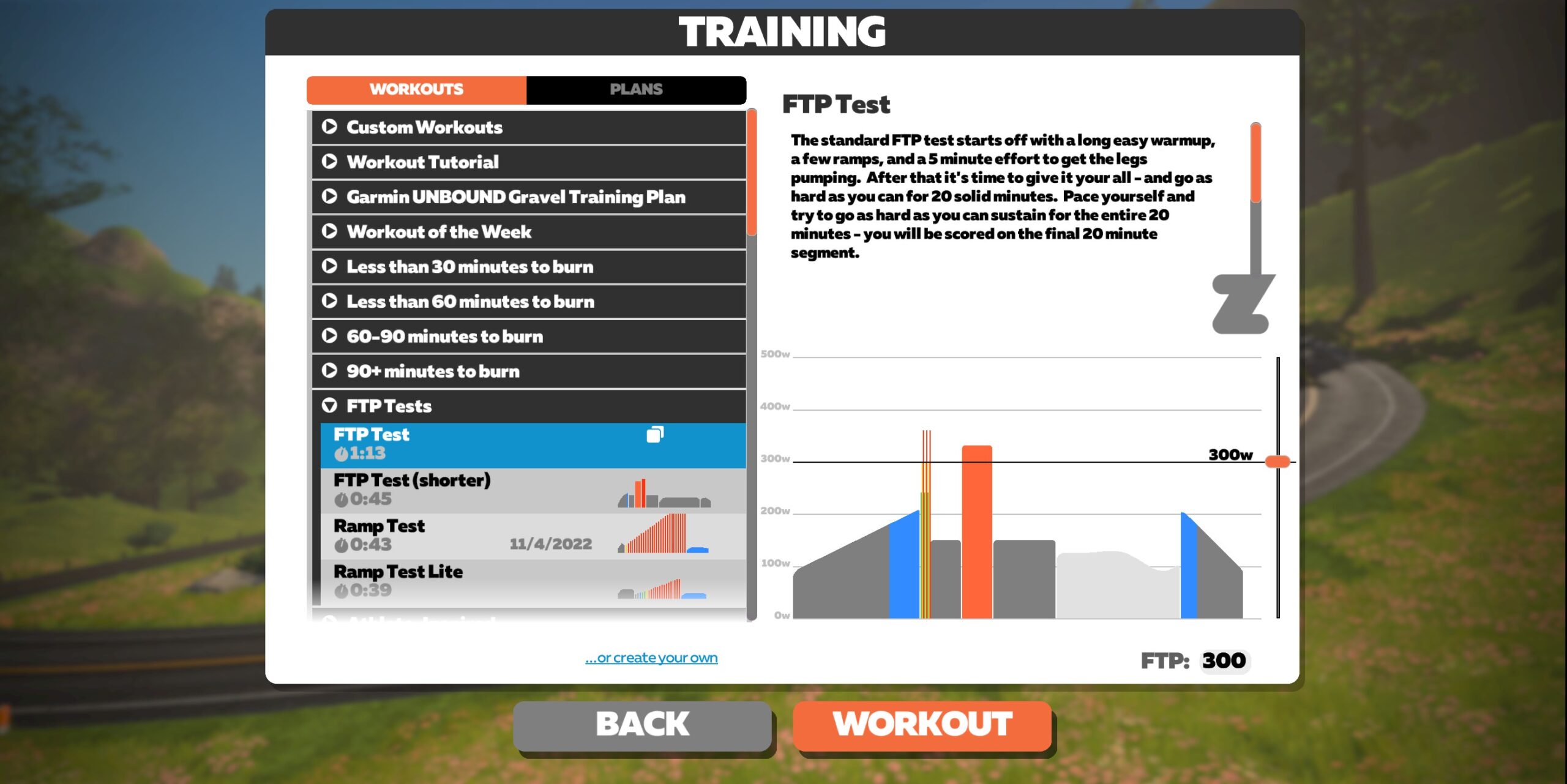
Zwift’s built-in FTP tests are both very close to the standard Coggan 20-minute test format. Both their “FTP Test” and “FTP Test (shorter)” are solid FTP test formats and the most accurate way to test your FTP in Zwift, especially if you are an experienced rider who can pace themselves well for a 20-minute maximal effort.
Zwift’s Ramp Tests

Zwift’s Ramp Tests start you at low power, then increase the power incrementally every minute until you aren’t able to push further. Ramp Tests are an excellent first FTP test because they’ll give you a ballpark figure without the need to worry about perfect pacing or a 20-minute sufferfest.
The downside of Ramp Tests is reduced accuracy. To be precise, anaerobically strong riders will be able to push further into the red (and thus get an inflated result) while aerobically strong cyclists may actually see artificially low results.
The Ramp Test trades accuracy for convenience, and in some situations, that’s a smart trade. As Shayne Gaffney from GC Coaching says, “If you have absolutely no clue what your FTP is, or are returning from injury or a long hiatus off the bike, you can use the ramp test results to predict a sustainable pace for the 20 minute FTP test.”
Lab Testing
Riders can pay to visit a lab for a lactate threshold/FTP test in which blood samples are drawn at various effort levels in order to determine that line where your body isn’t able to clear lactate sufficiently, leading to increased accumulation in your bloodstream. Coggan says there are two drawbacks to this method:
- “Few people have access to such testing on a regular basis”
- “Power at LT as determined in this manner is often significantly below what athletes and coaches tend to think of as a ‘threshold’.”
Outdoor FTP Tests
Some riders find it hard to produce the same numbers indoors as they do outside (Hunter Allen talks about this more). These riders might prefer outdoor tests, especially if they’re wanting an accurate FTP number for outdoor riding.
So head outside for an FTP test! Just make sure you follow a valid protocol for your test and plan your route so traffic and road issues don’t negatively impact your results.
My preferred outdoor method is to follow Coggan & Allen’s protocol as outlined in Training and Racing with a Power Meter, and time it so I’m on a steady 20+ minute climb with no stoplights or bad traffic for the 20-minute test section.
Coggan/Allen FTP test protocol:
- 20 minutes endurance-paced warmup
- 3×1-minute on, 1-minute off fast pedaling (100+ rpm)
- 5 minutes easy
- 5 minutes maximal TT effort
- 10 minutes easy
- 20 minutes maximal TT effort
- Cooldown
Which Method Is Best?
With so many methods to test/detect FTP, your results can vary significantly depending on where you look. Take me, for example. I did a Zwift Ramp Test last Friday that pegged my FTP at 318W. Yet Strava says it’s 300W, ZwiftPower detects it at 295W, and XERT says 312W!
That’s a difference of almost 0.3 w/kg, which is a big deal if you’re on the cusp of a race category.
For your personal use, my advice is to find a test/detection method and stick with it. I’ve been happy with both intervals.icu and XERT because they automatically detect my eFTP with no need for actual testing. But you’ll need to find what works best for you.
Your Thoughts
Share below!

Great article, thank you ! A good definition of ftp. In terms of a physical equivalent, I like to think of it as a mirror image of MLSS=max. lactate steady state, which is what LT2 should be. the term functional implies that no lab test is required, just a powermeter test in the field. So if I want to comment, you have to realize that there is some craziness involved. And I say, if you’re just going to rely on a functional test, try to get your mental spiritual mind involved as well. I say develop a sense of MLSS=ftp=LT2, and also LT1 (run with this talk test for a start). If you have developed a feeling for your body, for the crucial moments of the thresholds, then you that ftp is a very volatile “number” or better threshold that varies from day to day. Having a feel might be better than a powermeter. With that I say RPE is more important than a powermeter. Nonetheless, I also like a powermeter, I also like hard numbers. For all the sanity, for all the craziness.
Nice, clear, article. A couple of comments:
I’m not a huge fan of FTP (for various reasons I prefer modeling with CP/W’) but I am a fan of “functional” methods for estimating thresholds, and Andy shaped my thinking quite a bit.
The 20-minute test was popularized by the Training and Racing with a Power Meter book which Coggan co-wrote with Hunter Allen though, right? Seems like an endorsement to me…
Just realized… are you THE Robert Chung?
Now that’s even funnier!
I can understand your confusion. It surprises me sometimes too.
My “sort of” wasn’t meant to imply that Coggan wasn’t instrumental in creating the metric. It was an (admittedly lazy) colloquialism, like saying “Jumbo-Visma sort of destroyed the field in Paris-Nice…”
“sort of the father of FTP” LOL.
Hey Andrew – I’ll happily plead ignorance as to how you created/popularized the metric. 🙂 I wasn’t there, and in fact didn’t get back into serious riding until years later. So I’m just going off of what I’ve read and heard. Feel free to set the record straight!
No worries, it just struck me as funny.
FWIW, here’s a brief primer on the history of power-based training: http://www.trainingandracingwithapowermeter.com/search/label/history
Following
Terrific article, Eric.
Ramp Test is also limited in representing nuanced changes in performance capabilities. You may have noticeable improvements in durability / fatigue resistance, sustainbility etc, but it may goes down to just a few more seconds in the last stage of a ramp test. Also, I did find that 70% of the best 1′ represents better mt FTP, instead of 75%. For others, it may be something like 80% or even more!
Same here: 70% is more accurate for me, not 75%. But then I’ve always been a drop-dead sprinter. Eric alluded to this issue in the article above.
The current category enforcement by Zwift seems totally off. Some guys in my ZRL team, who end up last in our team at almost every race, are being forced to B-cat, while our top-scorer can still enter C. Like, how?!?
Then, last Tuesday, a cat-enforced race (in witch you joined B-cat Eric), the winner of C-cat gets WKG in ZP after the race. Looking at his profile, het gets disqualified (UPG, WKG) at more then 50% of his entries. In detail: het gets disquelified in every single race he enters, only grouprides and -training he is placed in ZP. If Zwift category enforcement can’t enforce someone like that out of our category, whats the point?
Another testing protocol worth mentioning which gets you a sense of how long you can actually hold FTP as well as some additional physiology background. https://www.trainingpeaks.com/blog/the-physiology-of-ftp-and-new-testing-protocols/
I can’t help but think that FTP alone is missing something when it comes to category assignment. I’ll look at ZwiftPower after a race and see that within my C group, the leaders appear to have had a nice, easy ride with heart rate averaging 130bpm for their 3.0 wkg while I’m averaging 170bpm and near death pushing 2.2 wkg. Maybe I’m just horrendously out of shape but it would feel a lot less discouraging to know that my peers were at least breaking a sweat!
So Eric, I checked my CP on intervals.icu and it was at 253. Then tonight on Zwift I did a 5 and 12 minute effort in the same ride. Both were improvements for this year (303 to 325, and 270 to 283 respectively) and my CP on the site went DOWN to 249 after it synced. I guess I don’t understand why my CP would drop after improving both benchmarks. What am I missing?
I should also clarify that my W’ went *up*. I don’t see how those values moved inversely based on the above. Also, not sure why someone downvoted my question: I don’t understand a concept in the article and was asking for clarification.
CP in an extrapolation to the long-term power so the curve fitting process means you can lower your CP by increasing short-term power, making your power curve steeper. The problem isn’t in the procedure per se, it’s the assumption that CP is a good determinant of race categorisation that is a bit silly IMO.
Are you THE James D. Annan?
Ah. This is really a question for intervals.icu but I use the CP/W’ model and almost always when this (increasing W’ and decreasing CP) happens it’s because you not only hit a 5 minute PB and 12 minute PB but also PBs at shorter durations. CP/W’ are fit not just on the 5 and 12 minute points but on as much of the MMP curve as the implementation has available (which is why this is a question for intervals.icu). If you bust out a huge “longer duration” PB, you’ll see the opposite: CP will increase and W’ decrease. They’re a check and balance on each other, or a see-saw (teeter-totter?).
Kolie Moore’s testing protocols are interesting. https://www.trainingpeaks.com/blog/the-physiology-of-ftp-and-new-testing-protocols/
If I saw that graphic (FTP 292). it would make my _YEAR_. (Given my mass of 64kg, that would put me so far into Cat A, that I would not care that I’d bee stuck racing in Cat A)
Great article. I take my FTP for Zwift from an hour’s maximum effort. Apart from it being painful, is that a better test than those you mention?
Great article, and I feel like such an idiot!
Even while I did not really think much of the Zwift’s FTP estimation based on 95% of 20 minute power as correct estimate for FTP, I did still think that the whole definition of FTP was the max power you could sustain for an hour :(.
Even while I did misunderstand the metric, I do however like estimated FTP in intervals.icu based on other factors than just 20 minute power. My latest FTP increase was based on 24 minute power in a race. The one before that based on 7 minute power.
I have just ordered the paperback edition of the third edition of Allen’s and Coggan’s book, so I can feel less stupid and have something to do while doing stuff like 25 laps volcano circuit at Z1…
So maybe we need a “Trip up the Alpe” FTP test? LOL
Good distillation of what it is given how many definitions and similar metrics exist.
But respectfully Eric I don’t think you did the second titled question justice by only framing it in the context of Zwift, which is one-dimensional in its representation of your fitness = ftp. There I said it.
Listen, I see why you did, but why not ask your esteemed commenters here on how or why it matters across the variety of cycling disciplines, or conversely, does its utility vary across them? e.g. is it as useful a metric for TT, to GC, to crit, mtb, track and bmx. And what other metrics might be as useful or more useful depending on their riding priorities and objectives. I wonder if Zwift consider employing any?
Maybe touch base with Zwift HQ and find out if they might consider loosening their obsession with it as the lynchpin of race categorisation and workouts, not least by using some of the user data they’ve collected over 6 years and could combine with… Well that might be another discussion that you may not be comfortable asking or get any answers worth writing about given commercial confidentiality, but it’s all related.
I think users are being given the short straw atm with the over-emphasis of a goal driven FTP as part of the zwift experience, vs rewarding users to be process driven to improvement in a variety of aspects in their riding journey, for which FTP is but one part, and may be uplifted along the way.